
Send Bulk Text Messages from Salesforce
If you need to contact a large number of customers, leads or contacts, sending each text message individually can quickly become time-consuming. With the right Salesforce messaging setup, you can send bulk text messages from Salesforce using the customer information you already have, without moving your data into a separate contact list.
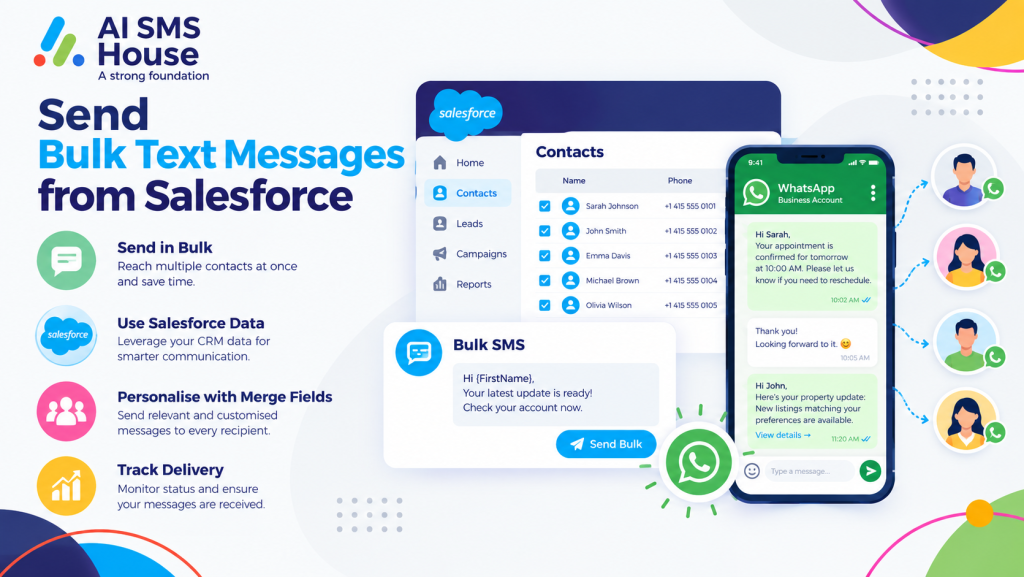
Send Bulk Text Messages from Salesforce
The basic process starts with choosing the Salesforce records you want to contact. Depending on the messaging solution you use, you can work with Leads, Contacts, Campaigns, List Views, Reports or other Salesforce records.
A typical process includes:
1. Select the Salesforce records you want to message.
2. Check that the records have a valid mobile number.
3. Make sure the required SMS consent is available.
4. Create your text message or choose a saved template.
5. Add Salesforce fields to personalise the message.
6. Review the selected recipients and message.
7. Send the bulk text messages.
8. Check delivery status and message activity.
Salesforce supports list-based broadcast messaging in certain SMS configurations, while the exact features available depend on your Salesforce product and messaging setup.
How to Send Bulk Text Messages from Salesforce
With a Salesforce SMS solution such as AI SMS House, you can bring bulk text messaging into your existing Salesforce workflow.
You can select a relevant group of records, prepare your message and send it to the selected recipients. Using templates and merge fields can also help you avoid writing the same message repeatedly.
Send Bulk Text Messages from Salesforce Using List Views
List Views can make it easier to find the right group of people before sending a message. You might create a list for new leads, customers with upcoming appointments or contacts who need a particular update.
Send Bulk Text Messages from Salesforce Using Reports and Campaigns
Reports and Campaigns can also help you organise recipients based on your business requirements. For example, you could create a group of leads from a particular region or customers connected to a specific campaign.
This gives you more control over who receives the message rather than sending the same text to your entire database.
Bulk Text Message Use Cases in Salesforce
You can use bulk SMS for many everyday customer communications:
1 Appointment reminders: Remind customers about upcoming appointments.
2 Sales follow-ups: Contact a group of leads after an enquiry.
3 Financial services: Send application or document reminders.
4 Real estate: Share viewing reminders and property updates.
5 Education: Send event, enrolment or deadline reminders.
6 Healthcare: Send appointment and service notifications.
7 Recruitment: Keep candidates updated about interviews and next steps.
8 Retail: Share order updates or relevant customer offers.
SMS Consent and Opt-Outs
Before sending bulk texts, you need to make sure your messaging process follows the applicable consent requirements. Salesforce provides consent settings and opt-out handling for its messaging channels, including support for opt-out keywords such as STOP.
Your process should therefore include checking communication preferences before a bulk send and respecting any opt-out request.
If you want to explore the Salesforce messaging app, you can view AI SMS House on Salesforce AppExchange.
Why Send Bulk Text Messages from Salesforce?
Keeping your messaging connected to Salesforce means you can work with the customer records you already use every day. Instead of manually copying phone numbers between systems, you can select your audience, personalise your message and manage the communication from your Salesforce workflow.
Application House provides Salesforce-focused solutions and can help businesses make better use of Salesforce automation and connected applications.
If you want to send bulk text messages from Salesforce, the right workflow can help you reach the right customers while keeping your communication connected to your Salesforce data.