
Send Bulk WhatsApp Messages from Salesforce
If you already use Salesforce to manage your customers, leads and opportunities, you may also want to use it for WhatsApp communication. Sending messages one by one can take time, especially when you need to reach a large number of contacts.
With the right Salesforce WhatsApp messaging solution, you can send bulk WhatsApp messages from Salesforce using the customer information already stored in your CRM. This can make it easier to keep communication organised while reaching the right people at the right time.
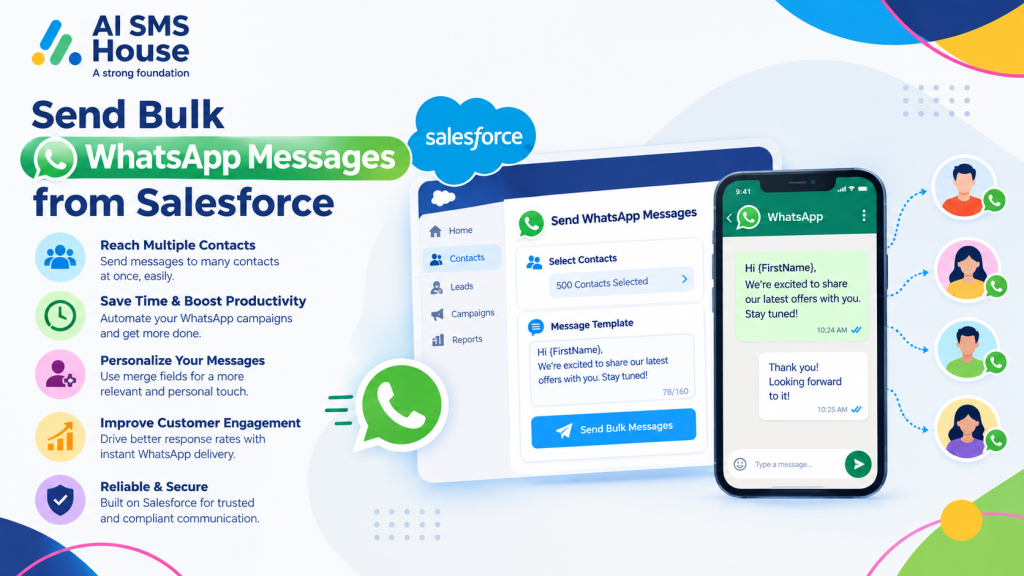
How to Send Bulk WhatsApp Messages from Salesforce
1. Choose the Salesforce records
Start by selecting the people you want to contact. You can use Salesforce List Views, Campaigns or Reports to create your recipient list.
Leads
Contacts
Accounts
Opportunities
Cases
Custom Salesforce objects
2. Check WhatsApp contact details
Before sending a message, make sure the selected records have valid WhatsApp-enabled phone numbers. You can also use Salesforce fields to manage consent and communication preferences.
3. Create your WhatsApp message
Prepare a message that suits the purpose of your campaign. With templates and merge fields, you can personalise messages using information from Salesforce.
4. Select the bulk messaging option
Choose the required Salesforce records and use the bulk WhatsApp messaging option. Your message can then be sent to the selected recipients without manually opening each record.
5. Track message activity
After sending, you can keep communication records within Salesforce. Depending on your setup, you can track delivery and read status and review previous conversations.
Basic Use Cases for Bulk WhatsApp Messages
Businesses can use bulk WhatsApp messaging for different types of customer communication.
Sales follow-ups: Contact multiple prospects after an enquiry or sales interaction.
Appointment reminders: Remind customers about upcoming appointments or bookings.
Event invitations: Send event details and invitations to selected Salesforce contacts.
Customer updates: Share important service, order or account updates.
Marketing campaigns: Reach opted-in contacts with relevant offers and announcements.
Lead nurturing: Keep prospects engaged with timely follow-up messages.
Payment reminders: Send reminders to customers where WhatsApp communication is appropriate.
Service notifications: Keep customers informed about cases, appointments or other service activity.
Personalise Bulk WhatsApp Messages in Salesforce
Bulk messaging does not have to mean sending exactly the same message to everyone. Using Salesforce data, you can add merge fields to make your messages more relevant.
Application House provides Salesforce-focused solutions and can help businesses make better use of Salesforce automation and connected applications.
Send Bulk WhatsApp Messages from Salesforce with AI SMS House
AI SMS House, from Application House, brings WhatsApp messaging into Salesforce so you can manage communication from your CRM. You can send messages from Salesforce records, use bulk messaging through List Views, Campaigns and Reports, and keep conversations connected to your customer data.
If you want to explore the Salesforce messaging app, you can view AI SMS House on Salesforce AppExchange.
Make Salesforce WhatsApp Messaging Easier
When you send bulk WhatsApp messages from Salesforce, you can bring customer data, recipient selection and messaging into one workflow. Instead of moving between different systems, you can use the Salesforce information you already have to plan and manage your WhatsApp communication.