
View All Salesforce WhatsApp Messages in Inbox
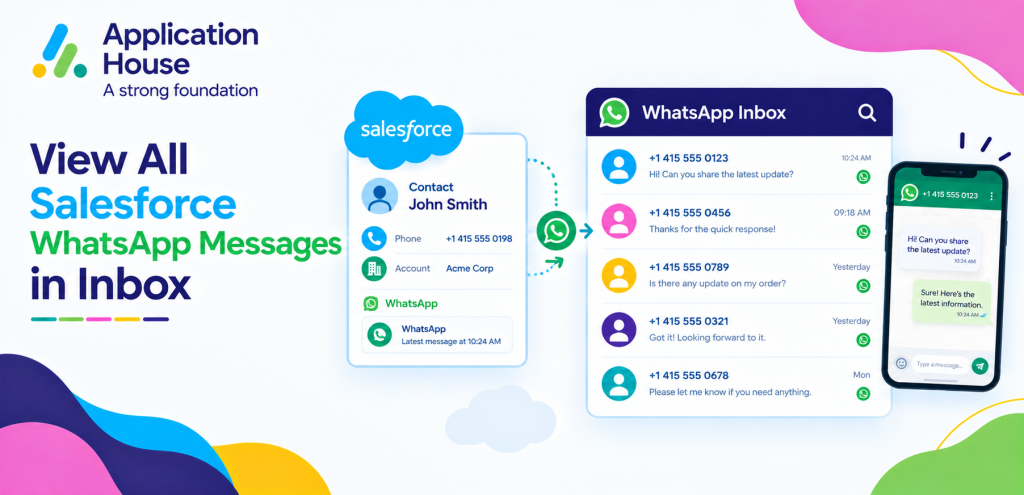
You can view your Salesforce WhatsApp conversations from one Inbox while your users,
Agentforce AI Agents and Salesforce records remain connected to the same messaging experience.
You can see your incoming and outgoing WhatsApp conversations without opening each Salesforce record individually.
You can also see your Agentforce AI Agents in your Inbox and select an Agent to review the conversations your Agent has handled. Features_Messenger_App
You can use your WhatsApp Inbox to supervise automated conversations, identify conversations that need human involvement and keep important customer interactions available for further action.
View WhatsApp Messages with Filters and Pinned Conversations
You can use your Inbox filters to focus on the WhatsApp conversations relevant to your current responsibility.
You can filter your messages by channel, Salesforce object, date and conversation source while your users remain inside Salesforce. Features_Messenger_App
You can pin your WhatsApp conversation when your customer needs continued attention and you want your conversation to remain easy to return to.
Filter Your Inbox for WhatsApp Conversations
You can select your WhatsApp channel when you want your Inbox to show your WhatsApp communication.
You can concentrate on your WhatsApp conversations while your SMS and Text conversations remain available through your wider messaging Inbox.
You can use your channel view when different users in your organisation are responsible for different customer communication channels.
Pin WhatsApp Conversations That Need Human Attention
You can pin your WhatsApp conversation when your customer enquiry requires additional review or a personal response.
You can keep your important conversation available while you investigate your customer question or review your Salesforce information.
You can return to your pinned WhatsApp conversation when you are ready to continue your customer interaction. Features_Messenger_App
View Agentforce AI Agent WhatsApp Conversations in Your Inbox
You can see your virtual Agentforce AI Agents inside your Salesforce Inbox.
You can select your Agentforce AI Agent to see the conversations your specific Agent has handled. You can manage Salesforce WhatsApp messages in one inbox when your team needs to review conversations handled by different AI Agents.
You can use your Inbox when your organisation has multiple Agentforce AI Agents managing different WhatsApp customer journeys.
You can give your users visibility into your automated conversations without requiring your users to search through individual Salesforce records.
Review Conversations by Agentforce AI Agent
You can select your Agentforce AI Agent when you want to review the WhatsApp conversations handled by that particular Agent.
You can separate your sales Agent conversations from your service, admissions or other AI Agent conversations when your organisation uses several Agents.
You can make your AI messaging easier to supervise when each of your business processes uses a different Agentforce AI Agent.
See Which AI Agent Handled Your WhatsApp Conversation
You can see whether your message was sent by your Salesforce user or your Agentforce AI Agent, including your AI Agent name. Features_Messenger_App
You can understand who handled your previous customer interaction before your user continues your WhatsApp conversation.
You can maintain clearer ownership when your customer journey moves between your AI automation and your Salesforce users.
Take Over WhatsApp Conversations from Your Agentforce AI Agent
You can use your WhatsApp Inbox to identify conversations where your automated interaction needs human involvement.
You can let your Salesforce user take over your customer conversation from your Agentforce AI Agent when your customer needs personal support. Features_Messenger_App
You can continue your conversation with your previous message context available instead of asking your customer to begin again.
Move from AI to Your Salesforce User
You can let your Agentforce AI Agent handle your routine WhatsApp enquiry until your conversation requires your Salesforce user.
You can give your user access to your previous conversation before your user takes responsibility for your customer interaction.
You can make your human takeover more informed because your user can understand what your customer and your AI Agent have already discussed.
Pin Conversations During Human Follow Up
You can pin your WhatsApp conversation when your human follow up cannot be completed immediately.
You can keep your conversation visible while your user gathers information, reviews your Salesforce record or waits for another internal action.
You can return to your customer conversation without losing track of the WhatsApp interaction your user needs to complete.
Manage Active and Completed WhatsApp Conversations
You can organise your WhatsApp messages into conversation sessions so your users can distinguish your active interactions from your completed conversations.
You can see your session status, your session expiry and your latest message information as part of your conversation management. Features_Messenger_App
You can use your conversation sessions to understand whether your customer is continuing an existing interaction or beginning a new conversation.
Review Your Active WhatsApp Sessions
You can see your active conversation while your customer interaction is still continuing.
You can use your existing session history to understand your customer context before your next response.
You can keep your related messages together while your conversation remains active.
Review Your Previous WhatsApp Sessions
You can retain your previous conversation history when your earlier session has expired.
You can use your historical conversation context when your customer contacts you again at a later time.
You can give your users a clearer understanding of your previous customer interaction before your new conversation begins.
Supervise Mortgage WhatsApp Conversations
You can use your WhatsApp Inbox when your mortgage organisation uses Agentforce AI Agents to handle borrower enquiries before your mortgage adviser becomes involved.
You can select your mortgage AI Agent and review the borrower conversations your Agent has handled.
You can pin your borrower conversation when your enquiry requires your mortgage adviser to review affordability, documentation or another individual requirement.
Review AI Handled Mortgage Enquiries
You can use your Inbox to review your borrower conversations that your Agentforce AI Agent has handled.
You can see your previous conversation before your mortgage adviser decides whether your borrower needs personal follow up.
You can keep your automated enquiry handling and your adviser involvement connected through the same WhatsApp conversation.
Escalate Complex Borrower Questions
You can pin your WhatsApp conversation when your borrower asks a question your mortgage adviser needs to handle personally.
You can give your adviser access to your previous AI conversation before your adviser responds.
You can maintain your borrower context when your conversation moves from your Agentforce AI Agent to your mortgage specialist.
Manage Real Estate WhatsApp Conversations by Customer Intent
You can use your WhatsApp Inbox when your property business handles enquiries from buyers, tenants, sellers and landlords.
You can use your Salesforce object filters to concentrate on the type of property conversation your user needs to manage.
You can pin your high intent customer conversation when your buyer or tenant is ready for a viewing, offer discussion or further property information.
Prioritise High Intent Property Enquiries
You can pin your WhatsApp conversation when your buyer or tenant shows strong interest in your property.
You can keep your active customer conversation visible while your property user reviews your Salesforce property information.
You can help your user concentrate on your customer conversations that are closest to your next sales or letting action.
Review AI Agent Property Conversations
You can select your property enquiry Agentforce AI Agent when your organisation uses AI to respond to routine WhatsApp questions.
You can review the conversations your property Agent has handled before your user becomes involved.
You can allow your user to continue your conversation when your buyer or tenant needs information beyond your automated response.
Monitor Student Admissions WhatsApp Conversations
You can use your Inbox when your education organisation uses WhatsApp for prospective student and admissions communication.
You can select your admissions Agentforce AI Agent to review your student conversations handled through automation.
You can pin your student conversation when your applicant needs personal support from your admissions user.
Review Admissions Agent Conversations
You can review your course, application and admissions conversations that your Agentforce AI Agent has handled.
You can give your admissions user visibility into your student’s previous questions before your user becomes involved.
You can maintain your student journey context while your conversation moves from automation to personal admissions support.
Pin Applicants Requiring Personal Support
You can pin your applicant conversation when your student needs individual help with your admissions process.
You can keep your conversation available while your admissions user reviews your application or gathers additional information.
You can return to your WhatsApp conversation when your user is ready to provide your student with a complete response.
Supervise Pharmacy WhatsApp Enquiries
You can use your WhatsApp Inbox when your pharmacy uses automated conversations for routine service enquiries.
You can review your AI handled conversation before your authorised pharmacy user takes over your customer interaction.
You can pin your conversation when your customer question requires authorised review or another service action.
Separate Routine Enquiries from Human Review
You can allow your Agentforce AI Agent to handle your routine WhatsApp questions according to your configured process.
You can let your authorised user take responsibility when your customer enquiry needs human judgement or further review.
You can use your Inbox to keep your automated and human conversations visible within one customer interaction.
Keep Outstanding Pharmacy Conversations Visible
You can pin your pharmacy conversation when your authorised user needs additional time before completing your customer enquiry.
You can keep your WhatsApp interaction accessible while your user completes your required review.
You can return to your customer conversation when your authorised user has the information needed to continue.
Manage Hospital WhatsApp Conversations with AI and Human Users
You can use your WhatsApp Inbox when your hospital uses Agentforce AI Agents for routine appointment or service conversations.
You can select your relevant AI Agent to review your automated patient communication.
You can pin your conversation when your authorised hospital user needs to take over your interaction.
Review Appointment Agent Conversations
You can review the WhatsApp conversations your appointment Agentforce AI Agent has handled.
You can give your authorised user your existing conversation context before your user continues your patient interaction.
You can reduce repeated questions because your user can see what your patient and your AI Agent have already discussed.
Move Sensitive or Complex Enquiries to Your User
You can move your conversation to your authorised user when your patient’s question requires human involvement.
You can keep your previous WhatsApp conversation available while your user takes over your interaction.
You can pin your conversation when your user needs additional information before your hospital response can be completed.
Keep Your WhatsApp Inbox Ready for AI and Human Conversations
You can use your Salesforce WhatsApp Inbox as the place where your automated and human customer conversations come together.
You can review your Agentforce AI Agent conversations
, identify your sender, manage your conversation sessions and pin your interactions that need further attention.
With AI SMS House, you can use your Inbox across your mortgage, real estate, education, pharmacy, and hospital processes while your users retain visibility into their complete WhatsApp customer context.
AI SMS House helps you keep AI automation useful without losing human oversight when a customer conversation requires your personal involvement.