
Send Automated SMS from Salesforce Flow
Your most useful messaging automation begins with a business event that your customer needs to understand or act upon.
Your Salesforce records may already show when your mortgage offer approaches expiry, your property repair visit becomes confirmed, your examination venue changes, your repeat prescription needs prescriber action or your hospital transport time is agreed.
With AI SMS House, you can turn those specific business events into automated SMS while keeping your communication connected to Salesforce.
Your organisation decides which object represents the process, which fields control the decision and what information your customer should receive.
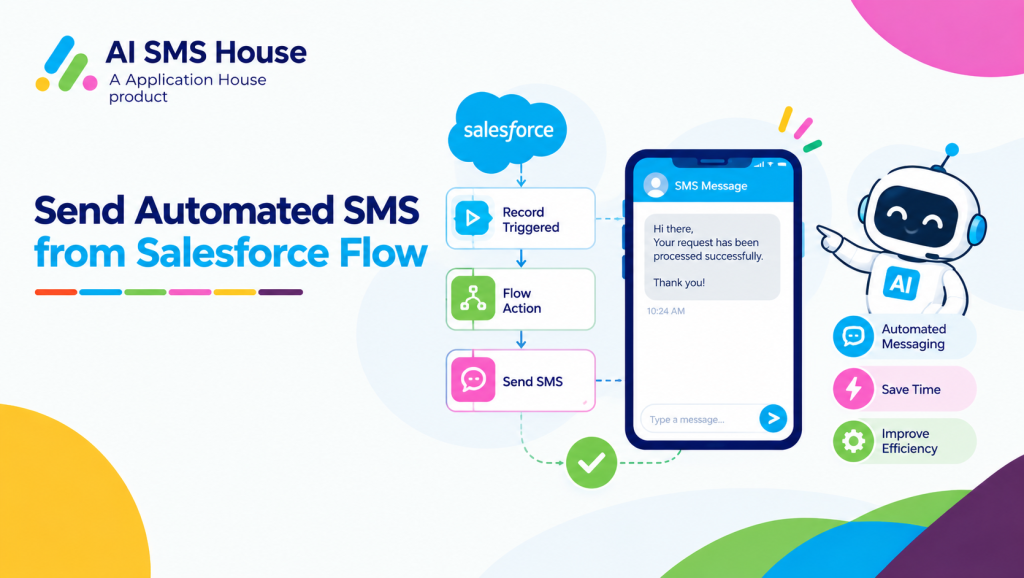
How to Send Automated SMS from Salesforce Flow Around Business Events
Your automation should begin with the record that represents the real work taking place in your organisation.
You can then use Salesforce Flow to evaluate your business conditions and ask AI SMS House to send your message when those conditions are satisfied.
Your Flow can use a standard Salesforce object or the custom object that your organisation has created for its industry process.
You can use automated SMS from Salesforce Flow to keep your customer communication connected to the records and business processes your team already manages in Salesforce.
Use Salesforce Data That Carries Business Meaning
Your customer does not need a message whenever any Salesforce field changes.
Your customer needs a message when your Salesforce data shows that something important has happened.
Your Flow can evaluate a combination of fields before your message is authorised.
Your mortgage application approaches its offer expiry date while your completion remains unconfirmed.
Your property repair receives a confirmed contractor visit while your tenant still needs to approve access.
Your published examination record receives a new venue while your examination date remains in the future.
Your repeat prescription request moves into a status that requires your prescriber to respond.
Your hospital transport booking receives a confirmed pickup time that your patient has not yet received.
This approach helps you send messages because your business process requires communication, rather than because an unrelated record was edited.
Add the Conditions Your Process Requires
Your automation should check every condition that matters before your message is sent.
Your mortgage Flow can check the offer expiry date, completion status, assigned adviser and communication preference.
Your education Flow can check that the examination timetable has already been published before you send a revised venue.
Your pharmacy Flow can check that customer notification is required before you send an administrative prescription update.
Your hospital Flow can check that transport is confirmed before you communicate a pickup time.
Your real estate Flow can check that contractor access is required before you contact your tenant.
These conditions help you prevent premature, unnecessary or confusing messages.
Send a Message Your Customer Can Act Upon
Your automated message should explain what changed, what your customer needs to do and where your customer can obtain help.
Your borrower should understand whether action is required before the mortgage offer expires.
Your tenant should understand when access is needed for the repair visit.
Your student should understand which examination detail has changed.
Your pharmacy customer should understand why the prescription request is waiting.
Your hospital patient should understand the confirmed transport arrangement.
Mortgage SMS Automation for Offer Expiry Risk
Your mortgage team can use Salesforce Flow to communicate when an application is approaching an important offer deadline.
Your Mortgage Application record may contain an offer expiry date, proposed completion date, completion confirmation and assigned adviser.
Your Flow can evaluate those values and send an SMS only when the borrower needs to take action.
A mortgage offer expiry process could work as follows:
Your adviser records the mortgage offer expiry date against your application.
Your Flow checks whether your completion has been confirmed.
Your Flow identifies when your application enters the warning period chosen by your business.
Your SMS explains the deadline and the next action required from your borrower.
Your mortgage team continues the conversation from the relevant Salesforce record.
Your automated SMS could say:
“Your mortgage offer is due to expire on 18 November. You can review your next required action in your secure portal or contact your adviser.”
Your message gives your borrower a useful reason to act while your mortgage team still has time to address the risk.
Your automation can also avoid contacting borrowers whose completion has already been confirmed or whose offer expiry date has been extended.
Pharmacy SMS Automation for Prescription Exceptions
Your pharmacy does not only need automation when a prescription becomes ready for collection.
Your pharmacy may also need to update a customer when a repeat prescription request cannot progress without information or authorisation from the prescriber.
Your Prescription Request record can contain the current request status, notification requirement, customer mobile number and communication preference.
Your Flow can send an administrative SMS when the status changes to waiting for prescriber authorisation.
Your automated SMS could say:
“Your repeat prescription request is awaiting information from your prescriber. You do not need to contact your pharmacy unless your circumstances have changed.”
Your pharmacy can send a second update when the required response has been received and your process can continue.
Your pharmacy or healthcare team can keep your wording administrative and avoid placing unnecessary clinical information in the message.
This process helps you reduce avoidable calls while keeping your customer informed about the reason for the delay.
Send Automated Text from Salesforce Flow
Your team may describe your mobile communication as text messaging rather than SMS messaging.
You can use Salesforce Flow to send an automated text when your real estate or education records show that a customer, tenant or student needs new information.
Real Estate Repair Access Confirmations
Your property management team can automate repair access communication from the Salesforce record that manages the repair.
Your Repair Request record may contain the property, tenant, contractor, visit date, visit time and access requirement.
Your Flow can wait until the contractor visit becomes confirmed before your text is sent.
Your automated text could say:
“Your repair visit is confirmed for Tuesday between 10am and 12pm. You can reply if your contractor cannot access your property during this time.”
Your property manager can send another text if the contractor changes the scheduled visit.
Your automation helps you coordinate access without relying on your property manager to notice every contractor update and contact each tenant manually.
Education Sector Exam Change Notifications
Your school, college or university can use Salesforce Flow when a published examination detail changes.
Your Exam Sitting record may contain the course, student, examination date, start time, venue and publication status.
Your Flow can check that the timetable was already published before your updated text is sent.
Your automated text could say:
“Your examination venue has changed to Hall B. You can view your current examination details in your student portal.”
Your students receive the operational change without receiving messages while your timetable is still being prepared.
Your education team can apply the same process when your published start time or arrival instructions change.
Send Automated WhatsApp Messages from Salesforce Flow
Your organisation can use WhatsApp when your chosen customer process requires a WhatsApp message rather than SMS or text.
Your Salesforce Flow can use the object and conditions that represent your industry process before your WhatsApp message is sent.
Hospital Patient Transport Coordination
Your hospital can use a Transport Booking record to manage non clinical travel arrangements for your patient.
Your record may contain the pickup date, pickup time, transport status, access requirements and responsible hospital team.
Your Flow can send a WhatsApp message when your transport provider confirms the pickup details.
Your automated WhatsApp message could say:
“Your hospital transport pickup is confirmed for 7:20am. You can reply if your mobility or property access requirements have changed.”
Your hospital can send a revised message if your transport provider changes the pickup time.
Your patient receives a clear operational update while your hospital team retains the transport context in Salesforce.
Your hospital can keep the message focused on travel arrangements without including unnecessary medical information.
Use Your Own Salesforce Objects and Fields
Your organisation should not have to redesign its business process around a restricted selection of Salesforce records.
You can use the Salesforce object and fields that already represent your mortgage, real estate, education, pharmacy or hospital process.
Your mortgage business can use a Mortgage Application object with offer expiry and completion readiness fields.
Your real estate business can use a Repair Request object with contractor status and tenant access fields.
Your education organisation can use an Exam Sitting object with publication, venue and start time fields.
Your pharmacy can use a Prescription Request object with prescriber status and customer notification fields.
Your hospital can use a Transport Booking object with confirmation, pickup and access fields.
Your Flow can evaluate your own data model instead of forcing every automation through Leads, Contacts, Opportunities or Cases.
Your message can also use your Salesforce fields to provide the details that your recipient needs for that specific process.
Keep the Power in Your Hands
Your administrator chooses which event should qualify for a message and which conditions should prevent your message from being sent.
Your mortgage team may want several warnings before an offer expires, while your hospital may want only one message after transport becomes confirmed.
Your real estate team may send a new text whenever a contractor visit changes, while your education team may send only when a published examination detail changes.
Your pharmacy may send a neutral status update without prescription details, while your mortgage team may include the assigned adviser and secure portal information.
You control your object, fields, conditions, channel, message content and timing according to the way your organisation works.
Build Salesforce Flow Automation Around Your Industry Process
Your Salesforce Flow already contains the business data that can determine when your customer needs an update.
You can use AI SMS House to turn your mortgage deadline, repair visit, examination change, prescription exception or hospital transport confirmation into timely customer communication.
Your automation becomes more valuable when your message solves a specific operational problem and gives your recipient a clear next action.
You can begin with one costly communication delay and expand your automation as your business identifies further processes where timely messaging can help.