
Salesforce WhatsApp Message Opt Out
Salesforce WhatsApp Message Opt Out
Your WhatsApp conversations can cover everything from marketing and sales enquiries to appointments, service updates and important customer information.
You may not want one WhatsApp opt out preference to control every type of message your customer receives.
With AI SMS House, you can configure your WhatsApp message preferences around your Salesforce setup and your communication processes.
You decide which Salesforce record stores your preference, which field you use and which types of WhatsApp messages your preference applies to.
You stay in control.
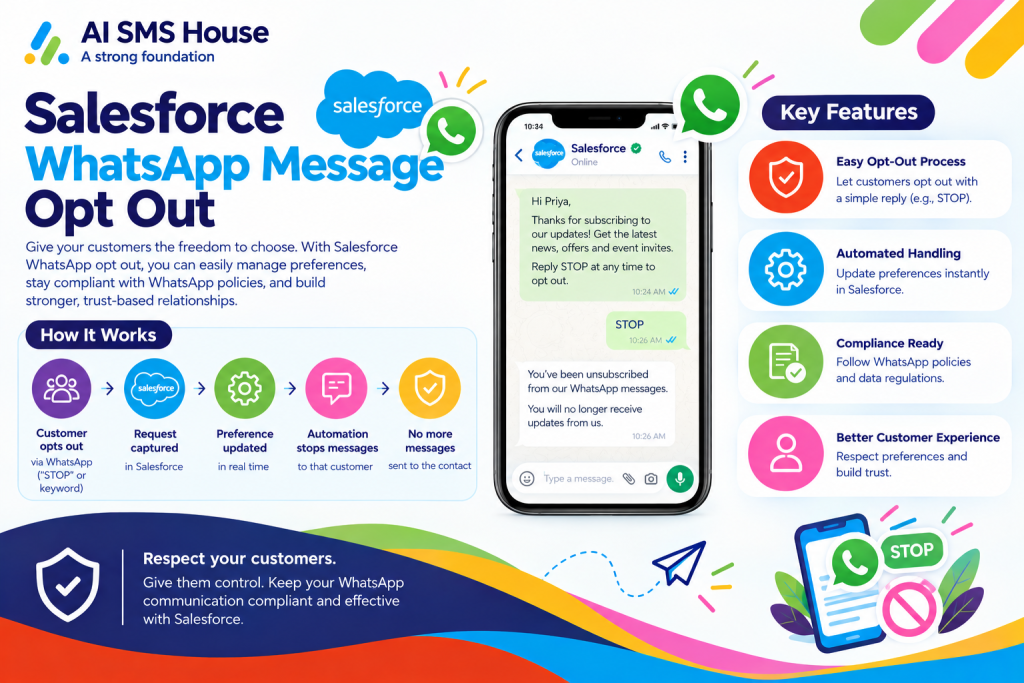
How to Opt Out WhatsApp Messages in Salesforce
You can manage your WhatsApp message opt out directly from the Salesforce records you already use.
When your customer changes their WhatsApp communication preference, you can store that choice against the relevant Salesforce record.
You can then use your configured preference when your users, automation or Agentforce AI Agents send WhatsApp messages.
You keep your WhatsApp preferences connected to the customer information your users already work with in Salesforce.
How to Configure WhatsApp Opt Out in Salesforce
You can configure your WhatsApp opt out according to how your organisation communicates with customers.
You can choose a checkbox when your customer only needs a simple yes or no preference.
You can choose message categories when your customer needs more control over the types of WhatsApp messages they receive.
You decide which approach fits your Salesforce processes.
Choose Any Salesforce Object for WhatsApp Opt Out
You are not limited to one predefined Salesforce object for your WhatsApp preferences.
You can use the standard or custom Salesforce object where your organisation already manages the customer relationship.
You can keep your WhatsApp preference against your Contact, Lead or another object that fits your Salesforce configuration.
You avoid changing your existing Salesforce structure simply to accommodate your messaging application.
Choose Your Salesforce Field for WhatsApp Opt Out
You can decide which Salesforce field should store your WhatsApp opt out preference.
You can use your existing field where it already forms part of your communication process.
You give your Salesforce administrators the flexibility to configure WhatsApp messaging around your existing data model.
You keep control of where your communication preferences are stored.
Salesforce WhatsApp Opt Out Using a Checkbox
You can use your Salesforce checkbox field when your WhatsApp preference only needs a simple opt in or opt out choice.
You choose which checkbox field your messaging configuration should use.
You can use your selected field to control whether your customer should receive WhatsApp messages.
You are not forced to use a predefined field created by the messaging application.
Salesforce WhatsApp Opt Out Based on Message Category
You may use WhatsApp for several different types of communication.
You may send marketing messages, system notifications and informational updates through the same WhatsApp number.
You can manage your WhatsApp preferences by message category so your customer does not have to make one decision for every type of communication.
You give your customers more meaningful control over what they receive.
WhatsApp Opt Out for Marketing Messages
You can let your customers opt out of your promotional WhatsApp messages and marketing campaigns.
You can keep your marketing preference separate from your other WhatsApp communication.
You gain more control over your WhatsApp marketing while giving your customers clearer choices.
WhatsApp Opt Out for System Messages
You may use your WhatsApp messages for system updates generated from Salesforce processes.
You can manage your system message preferences separately from your marketing preferences.
You decide how your operational WhatsApp communication fits within your own Salesforce processes.
WhatsApp Opt Out for Informational Messages
You may use your WhatsApp channel for reminders, service information, status updates and other useful communications.
You can give your informational messages their own preference instead of applying one universal WhatsApp opt out.
You give your customers more flexibility over the information they continue to receive.
Manage Multiple WhatsApp Preferences in Salesforce
You may have customers who want to stop your marketing messages while continuing to receive important service updates.
You may have customers who want appointment reminders but do not want promotional WhatsApp campaigns.
You can represent these different preferences through your message category configuration.
You give your customers greater choice without losing control of your messaging process.
How WhatsApp Opt Out Works with Bulk WhatsApp Messaging
When you Send bulk WhatsApp messages from Salesforce, you can keep your WhatsApp preferences connected to the same Salesforce records.
You can use your List Views, Reports or Campaigns while your configured communication preferences remain part of your messaging process.
You keep your bulk WhatsApp communication aligned with the choices recorded for your customers.
How WhatsApp Opt Out Works with Automated WhatsApp Messages
You may automate your WhatsApp messages using Salesforce Flow, Apex Trigger or your other business processes.
You can continue using your configured WhatsApp preferences when your automation sends those messages.
You do not need to create another preference process simply because your message is automated.
You maintain one consistent approach across your manual and automated WhatsApp communication.
How Agentforce AI Agents Use Your WhatsApp Opt Out Preferences
You can assign your WhatsApp numbers to Agentforce AI Agents that respond to customer enquiries automatically.
You can keep your WhatsApp preferences connected to the Salesforce record while your Agentforce AI Agent manages the conversation.
You maintain control whether your message comes from your Salesforce user, your automation or your Agentforce AI Agent.
You can let your users take over an AI conversation whenever you need human involvement while keeping your customer preference and conversation history available.
Use Your WhatsApp Preferences Across Multiple Numbers and AI Agents
You may use several WhatsApp numbers for different parts of your organisation.
You may also assign different numbers to different Agentforce AI Agents.
You can keep your WhatsApp opt out configuration connected to your Salesforce records while you manage different numbers, users and AI Agents.
You retain control as your WhatsApp messaging operation grows.
Keep Your WhatsApp Message Preferences in Salesforce
You should not need to move between systems to understand how your customer wants to communicate with you.
You can keep your WhatsApp preferences alongside the Salesforce records your users already work with.
You give your users better visibility into your customer communication preferences.
You give your administrators more flexibility over how your WhatsApp messaging is configured.
You give your customers clearer control over the WhatsApp messages they receive.
Configure Salesforce WhatsApp Message Opt Out Your Way
You should be able to configure your WhatsApp messaging around your Salesforce environment rather than redesign your Salesforce environment around your messaging app.
You choose your Salesforce object.
You choose your Salesforce field.
You choose your checkbox or message category approach.
You choose how your marketing, system and informational WhatsApp messages are managed.
You stay in control.
That is what power in your hands means for your WhatsApp messaging.
See Salesforce WhatsApp Message Opt Out in Action
You can see how your WhatsApp opt out configuration works with your own Salesforce objects, fields and communication processes during a demonstration.
You can see how your preferences work across one to one messaging, bulk WhatsApp communication, automation and Agentforce AI Agent conversations.
You can also ask us for your Salesforce Messaging Competitor Feature Comparison to see how your AI SMS House configuration compares with other Salesforce messaging applications.