
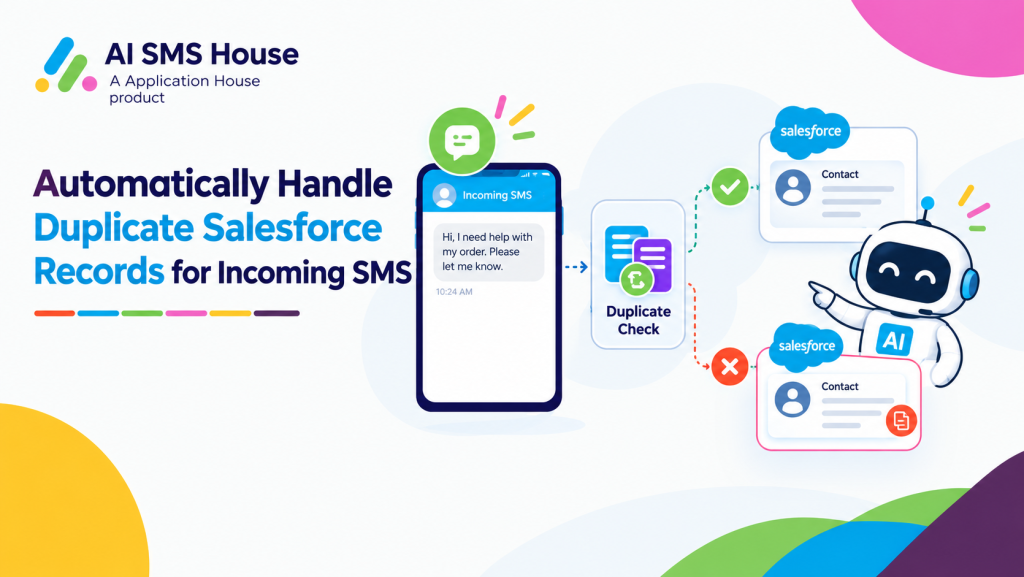
Automatically Handle Duplicate Salesforce Records for Incoming SMS
Your borrower replies to an SMS about missing documents, but your Salesforce data contains an old Lead, a Contact and several mortgage application records with the same mobile number. Your adviser needs the reply on the record for the current application, not on whichever record happens to appear first.
Your real estate, education, pharmacy and hospital teams can face the same business problem. Your customer may be genuine across several records, but your incoming message still needs one clear destination and one relevant conversation history.
With AI SMS House, you can set each business process to direct your conversation to the earliest candidate, the most recent candidate or a separately created Salesforce record. Your duplicate rule can therefore reflect the meaning of your records instead of treating every repeated phone number as the same situation.
Mortgage SMS When Your Borrower Matches Multiple Salesforce Records
Your mortgage team may hold one Contact for the borrower, an earlier Lead, a completed application and a new mortgage application. When your borrower replies from the same number, your matching process can identify several valid records.
Your selected duplicate rule decides which mortgage journey receives the incoming SMS. Your decision also determines which application information and previous conversation history your adviser sees before responding.
Use Your Oldest Record for a Continuing Borrower Relationship
Your earliest matching Salesforce record can be appropriate when your first verified Contact is the master borrower profile your organisation continues to maintain. You can place the incoming SMS with the record that carries your established customer relationship and earlier communication.
Your adviser can review the broader borrower history before continuing the conversation. You should avoid this choice when your oldest match is a closed Lead or an application that no longer represents the work your adviser is handling.
When you manage duplicate Salesforce records for incoming SMS, you can choose the matching record that best represents your active customer relationship instead of automatically using the earliest record.
Use Your Newest Record for the Active Mortgage Application
Your most recent matching Salesforce record can be appropriate when your latest Mortgage Application represents the current borrowing journey. You can place a document response, valuation question or application update beside the record your adviser is actively progressing.
Your adviser receives the message with the current loan purpose, stage and application context. You should test situations where your borrower has more than one active application because your most recently created record may not always be the intended one.
Create Your New Record for a New Mortgage Journey
Your returning borrower may send an SMS about refinancing, moving home or starting another mortgage after previous applications have completed. You can create a new record when your incoming enquiry represents a genuinely separate mortgage journey.
Your earlier application history remains available while your new conversation begins within its own business context. You should not create another record when your borrower is simply replying about an application your team already manages.
How Your Mortgage Choice Affects Conversation History
Your oldest rule keeps the reply within your long term borrower relationship, while your newest rule places the reply within your latest application context. Your create new rule begins a separate conversation history for a separate mortgage opportunity.
Your adviser sees different information depending on your choice, even though your borrower used the same phone number. You should therefore configure your duplicate rule around the record your adviser needs to understand and progress the enquiry.
Automatically Handle Duplicate Salesforce Records for Incoming Text
Your incoming text can match several records when your customer participates in several property or education processes. You can use a different duplicate decision for the business record that should own each conversation.
When you send text messages from Salesforce for viewings, applications or reminders, your customer reply can return through the same number used for earlier journeys. Your duplicate rule helps your reply reach the business process that gives your user the most useful context.
Real Estate Text When Your Customer Has Several Property Records
Your buyer may have one Contact, several Property Enquiry records and several Viewing records. Your landlord may also appear across property ownership, tenancy and maintenance processes that use the same mobile number.
Your incoming text may therefore match valid records for different properties and different stages of the customer journey. You need your duplicate choice to reflect whether your message concerns the person, the latest property activity or a completely new enquiry.
Use Your Oldest Record for the Established Property Relationship
Your oldest record can work when your Contact represents the continuing relationship with your buyer, seller, landlord or tenant. You can keep the text conversation with the client profile your real estate team treats as its main customer record.
Your users gain a wider view of previous interactions across several properties. You should not use your oldest rule when the message needs the context of one particular property or viewing.
Use Your Newest Record for the Current Property Enquiry
Your newest record can work when your most recent Property Enquiry or Viewing normally represents the property your customer is discussing. You can place a confirmation, cancellation or question beside the current property activity.
Your negotiator sees the latest property, appointment and enquiry context before replying. You should confirm that your customer does not have several current enquiries because your newest record may represent only one of them.
Create Your New Record for a Different Property Enquiry
Your existing matches may all relate to earlier properties while your incoming text concerns a new listing. You can create a separate Property Enquiry record so your new conversation begins with the correct property journey.
Your real estate team can progress the new interest without changing the history held against earlier properties. You should use this choice when your operating process requires each property enquiry to be managed separately.
Education Text When Your Applicant Has Several Salesforce Records
Your prospective student may have an old enquiry, a previous year application, a current application and a Contact or Student record with the same phone number. Your incoming text can match several genuine stages of that education relationship.
Your oldest record can be appropriate when your Student or Contact record provides the continuing learner history your team needs. Your newest record can be appropriate when your latest Application represents the admissions journey your applicant is discussing.
Your new record can be appropriate when your applicant starts another course, campus or intake process that your organisation manages separately. Your choice determines whether your admissions user sees the long term learner relationship, the current application or a new admissions journey.
How Your Education Choice Affects Conversation History
Your oldest choice can keep communication with the person record your education team maintains across several academic periods. Your newest choice can keep document questions, interview responses and application updates beside your current admissions record.
Your create new choice can give another programme application its own conversation history. You should configure your rule according to whether your education process treats the incoming text as a continuation or as a new student journey.
Automatically Handle Duplicate Salesforce Records for Incoming WhatsApp Messages
You can Send SMS from Salesforce for your service enquiries, collection updates or appointment communication. Your customer or patient may reply from a number already connected to several customer, service or appointment records.
Your duplicate rule determines which healthcare process receives that reply. Your choice should give your authorised user the relevant operational context without attaching the conversation to an unrelated historical record.
Pharmacy WhatsApp When Your Customer Has Several Service Records
Your pharmacy customer may have one Contact and several records for collection, repeat service or other supported pharmacy interactions. Your incoming WhatsApp message can match those records because they contain the same mobile number.
Your oldest record can work when your verified Contact is the continuing customer profile your authorised users rely on. Your newest record can work when your latest service record represents the active request your customer is discussing.
Your new record can work when your message begins a separate service enquiry that needs its own operational journey. Your choice controls whether your pharmacy user sees the full customer relationship, the latest service context or a fresh enquiry history.
How Your Pharmacy Choice Affects Conversation History
Your oldest choice keeps your WhatsApp reply with your recognised customer profile and its established communication history. Your newest choice keeps your reply beside your active service record and the information your authorised user needs now.
Your create new choice starts a separate history for a new service enquiry. You should confirm that your pharmacy process needs another record before your configuration creates one.
Hospital WhatsApp When Your Patient Has Several Appointment Records
Your hospital may hold a Contact or patient record together with several appointment or service records that use the same mobile number. Your incoming WhatsApp reply may therefore match previous visits, a future appointment and another active service process.
Your oldest record can work when your approved process keeps general communication on the main patient or Contact record. Your newest record can work when your latest appointment is normally the context for confirmations, preparation questions or rescheduling requests.
Your new record can work when your message starts a separate appointment or supported service enquiry. Your administrative user can then manage the conversation within the new operational context without changing the history of earlier appointments.
How Your Hospital Choice Affects Conversation History
Your oldest choice can give your authorised user the continuing patient relationship, while your newest choice can provide the latest appointment details. Your create new choice can keep another service journey independent from your previous appointment conversations.
Your hospital may have several appointments open at the same time, so your administrator should not assume that your newest record always represents the correct appointment. You should test your rule against the appointment patterns your hospital actually manages.
How Your Administrator Chooses the Duplicate Rule for Each Business Process
Your administrator should not apply one duplicate rule across every object simply because each record contains the same phone number. Your mortgage application, property enquiry, education application, pharmacy service and hospital appointment each represent a different type of business journey.
Define What Your Reply Is About
Your mortgage team should decide whether a reply normally concerns the borrower or one application. Your real estate team should decide whether a reply normally concerns the client or one property.
Your education team should decide whether a reply normally concerns the learner or one application. Your pharmacy and hospital teams should decide whether a reply normally concerns the person or one service or appointment.
Decide What Record Your User Needs Before Responding
Your adviser may need the current mortgage stage, while your negotiator may need the latest property and viewing time. Your admissions user may need the application status, while your healthcare administrator may need the service or appointment details.
Your duplicate rule should select the record that provides that working context. You can use your oldest record only when it represents the continuing relationship your user needs.
Decide When a Message Begins New Work
Your returning borrower may begin another mortgage application, while your buyer may enquire about another property. Your student may apply for another programme, while your pharmacy or hospital customer may begin another service journey.
You can generate a new Salesforce record when your business process treats that incoming message as new work. You should continue with an existing record when your message belongs to work your team is already managing.
Test Your Rules with Real Industry Scenarios
Your testing should include a borrower with completed and active applications, a buyer with several property enquiries and a student with applications across different intakes. Your testing should also include a pharmacy customer with several service records and a hospital patient with several appointment records.
Your users should confirm that every incoming conversation appears with the context they need to act. You can refine each duplicate rule before your organisation applies it to live incoming messages.
Keep Every Incoming Conversation in Its Business Context
Your customer phone number identifies who is messaging you, but your business process determines what the conversation is about. You can use your oldest record for a continuing relationship, your newest record for current work or your new record for a separate journey.
With AI SMS House, you can configure duplicate handling around the way your mortgage, real estate, education, pharmacy or hospital team works. You keep your incoming SMS, text and WhatsApp conversations attached to the Salesforce context your users need.
You can arrange a demonstration with Application House using examples from your own industry and Salesforce data model. You can see how your oldest, newest and create new choices affect the conversation history and business context available to your users.