
Salesforce Users Can Take Over Agentforce AI Agent Bot Conversations
Your mortgage borrower may begin with a routine application question and then disclose a change that needs your adviser’s judgement.
Your property buyer may request viewing information and then decide to discuss an offer with your estate agent.
Your applicant may check an enrolment deadline and then explain personal circumstances that require support from your admissions team.
Your pharmacy customer or hospital patient may begin with a service question and then need help from your trained healthcare team.
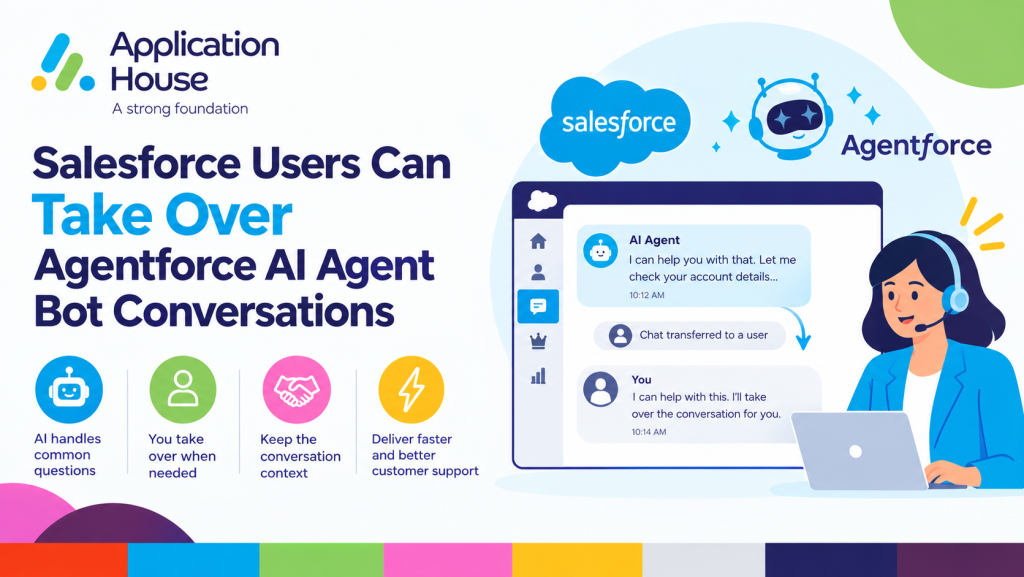
Your team needs a clear way to enter your Agentforce AI Agent conversations without competing with your Agentforce AI Agent Bot. Your Salesforce user can select End Bot, stop your AI responses and continue the same conversation using the complete context already available in Salesforce.
Keep Your AI Automation and Human Judgement in One Conversation
Your Agentforce AI Agent Bot can handle the repeatable parts of your customer journey while your team concentrates on decisions that require responsibility, negotiation or reassurance.
Your Salesforce users can follow each active conversation while your Agentforce AI Agent Bot responds. Your users continue receiving incoming message notifications for the numbers assigned to them.
Your Send button remains unavailable during the active AI session, which prevents your Agentforce AI Agent Bot and your user from answering the customer at the same time.
When your user decides that personal involvement is necessary, your user selects the red End Bot button. Your Agentforce AI Agent then stops replying, and your Send button becomes available.
Salesforce Users Can Take Over Agentforce AI Agent Bot Conversations for SMS
Your SMS conversations often begin with a simple question but can quickly become part of an important business decision. Your Salesforce user can take over the active conversation when your customer needs more than your configured Agentforce AI Agent Bot process should provide.
Mortgage Application Exceptions
Your Agentforce AI Agent Bot can answer your configured questions about application progress, required documents or the next stage in your mortgage process.
Your borrower may then explain that their employment has changed, part of their deposit is a family gift or their proposed completion date has moved. Your mortgage adviser can read the complete exchange and decide that the conversation now needs personal attention.
Your adviser selects End Bot and continues from the same borrower record. You can send SMS from Salesforce with a personalised response while your previous AI messages remain visible to your adviser.
Your borrower does not need to repeat the original question because your adviser can see what your Agentforce AI Agent Bot has already discussed.
Pharmacy Enquiries Requiring Personal Attention
Your Agentforce AI Agent Bot can answer your configured questions about opening hours, collection processes or available pharmacy services.
Your customer may then ask about a missing prescription item, a collection problem or a medication related concern that requires your pharmacy team. Your pharmacist can select End Bot and continue the SMS conversation according to your pharmacy procedures.
Your pharmacist can use the existing thread to understand the enquiry before deciding whether your customer should receive an SMS response, a telephone call or another form of support.
Salesforce Users Can Take Over Agentforce AI Agent Bot Conversations for Text Messages
Your text conversations can move from general information to a commercial or personal decision within a few messages. Your Salesforce user can take control when your customer reaches that point.
Real Estate Offers and Viewing Changes
Your Agentforce AI Agent Bot can answer your configured questions about property availability, viewing times, locations or general property information.
Your prospective buyer may then ask to change a viewing at short notice, explain a property chain or discuss a conditional offer. Your estate agent can take over before your customer makes a decision that requires negotiation.
Your estate agent selects End Bot, reviews your complete conversation and replies from the relevant buyer, property or opportunity record. You can send text messages from Salesforce while your agent works with the same information your AI conversation has already collected.
Your buyer receives one continuous conversation instead of being moved into a separate communication process.
Education Admissions and Student Circumstances
Your Agentforce AI Agent Bot can answer your configured questions about application dates, entry requirements, open days or enrolment processes.
Your applicant may then disclose exceptional circumstances, request help with a particular application or question a decision recorded in your admissions process. Your admissions officer can take over when your response requires individual review.
Your admissions officer sees the preceding conversation and continues from your applicant or student record. Your applicant receives personal support without restarting the enquiry or repeating information already provided.
Your education team can also use the same capability when your student raises a sensitive welfare, attendance or funding concern that should move from automated information to personal assistance.
Salesforce Users Can Take Over Agentforce AI Agent Bot Conversations for WhatsApp Messages
Your WhatsApp conversations can contain several messages, questions and files before your team needs to become involved. Your Salesforce user can enter the active conversation while retaining the information already collected in the thread.
Hospital Appointment and Patient Support
Your Agentforce AI Agent Bot can answer your configured questions about appointment times, locations or general preparation information.
Your patient may then mention an accessibility requirement, a complicated appointment change or another matter that requires your hospital team. Your hospital coordinator can select End Bot and continue the WhatsApp conversation from the relevant Salesforce record.
After your user takes control, you can send WhatsApp messages from Salesforce using your approved templates, emojis or permitted attachments. Your coordinator can provide the appropriate next step while your complete AI and human conversation remains available for authorised users.
Your patient continues using the same WhatsApp conversation, which helps your hospital avoid asking the patient to contact a different team and explain the situation again.
Mortgage and Property Documents
Your borrower or property customer may use WhatsApp to ask about documents, viewing information or the next stage in your process.
Your Agentforce AI Agent Bot can handle your configured general questions before your adviser or estate agent takes over for a document specific discussion. Your user can then send the relevant permitted attachment or use a template without creating a new conversation.
Your message history shows which responses came from your Agentforce AI Agent Bot and which responses came from your Salesforce user.
What Your Team Sees Before Taking Over
Your business number becomes AI enabled when your administrator selects an Agentforce AI Agent for that number in Record Management.
Your number appears with AI Bot Enabled in the From list, so your users can identify which numbers use an Agentforce AI Agent Bot.
Your customer’s incoming message opens one continuous session for that customer, business number and messaging channel. Your session remains active until nobody has sent a message for the Max Session Time configured for that number.
Your administrator can configure your Max Session Time from 3 to 120 minutes according to your business process.
Your Agentforce AI Agent replies appear in the same conversation under your selected agent’s name, with Bot shown as the message source.
Your conversation refreshes as new customer messages arrive, and your users with incoming message notifications for that number continue receiving their notifications.
Your Inbox includes an AI Agent Bots section with an entry for each of your configured Agentforce AI Agents.
Your Send button remains unavailable while your Agentforce AI Agent Bot controls the active session.
What Happens When Your Salesforce User Selects End Bot
Your user opens the conversation that requires personal attention.
Your user confirms that an AI session is active for that customer, number and channel.
Your user selects the red End Bot button.
Your End Bot button becomes unavailable, and your Send button becomes available.
Your user can type a reply or use your templates, emojis and permitted attachments.
Your End Bot button is available only while your Agentforce AI Agent Bot has an active session for the specific customer, number and channel.
What Happens After Your User Takes Over
Your customer’s replies continue arriving in the same conversation, but your Agentforce AI Agent Bot no longer responds during that session.
Your Salesforce user’s outgoing messages display your user’s name, so your conversation clearly shows where your AI response ended and your human response began.
Your session remains open for 60 minutes immediately after your user selects End Bot.
Whenever you or your customer sends another message, your session timer resets to the Max Session Time configured for that business number.
After your session expires, your customer’s next incoming message starts a new session. Your Agentforce AI Agent Bot then responds through a new Agentforce session.
Your app does not provide a button that returns the current conversation to your Agentforce AI Agent Bot before the session expires.
Who Can Take Over Your Agentforce AI Agent Bot Conversations
Your user needs the Messenger App User or Messenger App Admin permission set before taking control of a conversation.
Your user must also have access to both the related Salesforce record and the conversation.
Your conversations remain private by default, which means your messaging access follows your configured ownership and visibility.
Your conversation is owned by the matched Salesforce record owner or by the default owner selected in your Record Management configuration.
Your existing Salesforce access model therefore helps you control which mortgage advisers, estate agents, admissions officers, pharmacy users or hospital coordinators can view and continue each conversation.
Configure Takeover Around Your Business Process
Your administrator chooses which Agentforce AI Agent works with each business number through your Record Management setup.
Your mortgage team can connect a borrower enquiry number to your mortgage Agentforce AI Agent while your estate agency connects a property number to your property enquiry agent.
Your education organisation can assign your admissions number to an admissions Agentforce AI Agent while your pharmacy or hospital assigns different numbers to the appropriate service agents.
Your administrator also chooses your session duration according to the pace and responsibility of each process.
Your users decide when human involvement is required because your takeover does not depend on an automatic escalation rule. Your team keeps control over the point where your automated process becomes a personal conversation.
Understand the Limits of Agentforce AI Agent Bot Takeover
Your app does not automatically hand an Agentforce AI Agent Bot conversation to a Salesforce user.
Your user must open the active conversation and select End Bot manually.
Your app does not provide a button that hands the active conversation back to your Agentforce AI Agent Bot.
Your Agentforce AI Agent Bot becomes available again only after your current session expires and your customer sends a new message.
When your customer has no active AI session, your End Bot and Send buttons remain unavailable for that AI enabled number.
Your controlled process prevents your Agentforce AI Agent Bot and your Salesforce user from sending competing responses during the same active session.
Keep Your Customer Journey Moving with Human Takeover
Your Agentforce AI Agent Bot can manage your repeatable enquiries while your Salesforce users remain available for the moments where experience and personal judgement matter.
Your mortgage adviser can take over an application exception, your estate agent can continue an offer discussion and your admissions officer can support an applicant with individual circumstances.
Your pharmacist can respond to a customer who needs trained assistance, and your hospital coordinator can continue a patient conversation that requires personal support.
Your customer stays in the same SMS, text or WhatsApp conversation while your complete AI and human message history remains connected to the relevant Salesforce record.
Book your demonstration to see how your Salesforce users can take over Agentforce AI Agent Bot conversations across your own mortgage, real estate, education, pharmacy or hospital processes.