
Use a Template for Salesforce SMS
Your customer conversation does not always need automation because your user may need to understand the situation before choosing the right response.
Your mortgage adviser may need to acknowledge a change in borrower circumstances, while your pharmacy user may need to respond to a customer enquiry about an available service.
When you use Salesforce SMS templates, your user can choose an appropriate response without writing the complete message again.
Your user remains in control because your Salesforce SMS templates support the conversation rather than deciding which response your customer should receive.
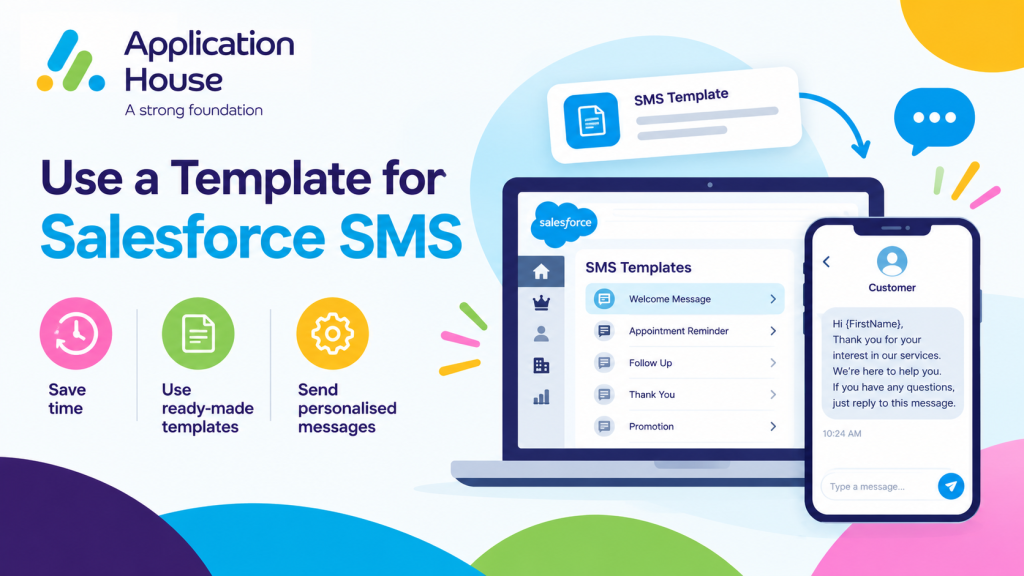
Choose a Template During Your Customer Conversation
Your user can choose a template after reviewing the customer record and understanding the current conversation.
Your template selection process can follow these steps:
Your user opens the Salesforce record or conversation.
Your user reviews the message received from your customer.
Your user identifies the business situation that requires a response.
Your user chooses the most appropriate available template.
Your user reviews the recipient and message before sending.
Your user sends the SMS while keeping the conversation connected to Salesforce.
This approach helps you combine consistent messaging with the judgement of your Salesforce user.
Your customer receives a relevant response, while your user avoids reconstructing a familiar message from the beginning.
Give Your Users Templates for Different Customer Needs
Your template library can support several possible responses within the same business process.
Your mortgage adviser may need one template to acknowledge a change and another template to request a conversation.
Your real estate agent may need different templates when an offer is received, accepted, declined or still awaiting a decision.
Your education user may need different templates for a fee query, payment arrangement or account statement request.
Your pharmacy user may need different templates for a service enquiry, booking instruction or unavailable service.
Your hospital user may need different templates for an accessibility request, support confirmation or request for additional information.
Your user chooses the response that matches the customer conversation taking place at that moment.
Mortgage SMS Templates for Changes in Borrower Circumstances
Your borrower may contact your mortgage adviser after their employment, income, deposit or planned purchase changes.
Your adviser needs to acknowledge the information without making an immediate decision about how the change affects the application.
Your user can select a Change in Circumstances Acknowledgement template from the mortgage application record.
Your template could say:
“Your change in circumstances has been recorded. You can expect your adviser to review how this may affect your mortgage application before your next step.”
Your adviser can choose another template when your borrower needs to arrange a call or provide further information.
Your user makes that choice after reviewing the application and understanding the change reported by your borrower.
When you Send SMS from Salesforce , you keep that acknowledgement connected to the mortgage application your adviser is managing.
This process remains separate from your existing mortgage lead response, document chasing, valuation, packaging, lender decision and offer expiry content.
Pharmacy SMS Templates for Service Enquiries
Your pharmacy customer may contact your team to ask whether your pharmacy provides a particular service.
Your pharmacy user may need to send booking instructions, eligibility information approved by your organisation or a secure service link.
Your user can choose a Pharmacy Service Enquiry template after reviewing the request.
Your template could say:
“Your pharmacy service enquiry has been received. You can use your secure booking link to view the available appointment options.”
Your user can choose a different template when your service is unavailable or when your customer needs to contact another pharmacy location.
Your template helps your pharmacy provide an administrative response without including unnecessary clinical information.
Your pharmacy user still decides which response is suitable for the individual enquiry.
This process remains different from your existing prescription ready, home delivery and bulk pharmacy messaging content.
Use a Template for Salesforce Text
Your user can select a template when you send text from Salesforce during an individual customer conversation.
Your real estate and education teams can use text templates for situations where your staff must review the record before choosing the correct response.
Real Estate Offer Acknowledgement Templates
Your buyer may submit an offer by telephone, email or an existing Salesforce conversation.
Your estate agent can record the offer and choose a template that acknowledges the next step without predicting the seller’s decision.
Your template could say:
“Your offer has been received and shared with the seller. You can contact your agent if any part of your offer changes.”
Your agent can choose another template when your seller requests additional information or when a decision becomes available.
Your user selects the template according to the current negotiation stage recorded in Salesforce, using Salesforce Agentforce AI Agent SMS to send the most relevant message.
Your process supports individual offer communication without repeating your existing property listing, viewing, tenant referencing, rent arrears, repair or deposit registration content.
Education Student Fee Query Templates
Your student may contact your school, college or university with a question about a fee, invoice or recorded payment.
Your education user can review the student account and choose a template that matches the type of query.
Your template could say:
“Your student fee query has been received. You can expect your education finance team to review your account and provide an update.”
Your user can select another template when your student needs a statement, secure payment link or conversation with the finance team.
Your student receives an appropriate response without your user writing a new acknowledgement for every query.
Your process remains distinct from your existing admissions, enrolment, examination, placement, transcript and student support content.
Use a Template for Salesforce WhatsApp Messages
Your user can choose a template when you send WhatsApp messages from Salesforce during an individual conversation.
Your hospital team can use template selection when your patient asks for administrative support that requires human review.
Hospital Accessibility Request Templates
Your patient may contact your hospital about wheelchair access, hearing support, visual assistance or another accessibility requirement.
Your hospital user can review the request and choose a template that acknowledges the required support.
Your template could say:
“Your accessibility request has been recorded for your hospital visit. You can contact your hospital team if your support requirements change.”
Your user can choose another template when your hospital has confirmed the arrangement or needs more information from your patient.
Your patient receives an administrative response without your message including unnecessary clinical information.
Your hospital user retains responsibility for choosing the template that reflects the current status of the request.
Your process remains different from your existing appointment, triage, discharge, visitor, transport, referral and interpreter messaging content.
Choose Templates According to Your Business Outcome
Your user should select a template according to the outcome your customer needs rather than simply selecting the first available message.
Your mortgage adviser can choose between acknowledgement, information request and call arrangement templates.
Your estate agent can choose between offer receipt, further information and decision update templates.
Your education user can choose between query acknowledgement, statement request and payment support templates.
Your pharmacy user can choose between service availability, booking and alternative location templates.
Your hospital user can choose between accessibility acknowledgement, confirmation and additional information templates.
This selection gives your user several approved starting points without forcing every customer into the same response.
Use the Salesforce Record to Understand Your Template Choice
Your Salesforce record gives your user the context required to choose the appropriate template.
Your mortgage application shows your adviser which stage and circumstances apply to the borrower.
Your property record shows your agent which offer and customer relationship the conversation concerns.
Your student record shows your education user which course and account the fee query relates to.
Your pharmacy service record shows your user which location and service the customer has asked about.
Your hospital record shows your administrative user which visit and support request require attention.
Your user can review that context before selecting and sending the template.
Know When Your User Should Not Use a Template
Your user should not be required to use a template when the customer conversation needs a carefully personalised response.
Your mortgage adviser may need a direct conversation when your borrower reports a significant financial change.
Your estate agent may need to write a specific response during a complex property negotiation.
Your education team may need to follow your safeguarding process when a student message raises a welfare concern.
Your pharmacy or hospital team may need to follow your urgent communication process when a message requires immediate professional attention.
Your application gives you template choice, while your organisation decides when a template is suitable.
Keep the Power in Your Hands
Your organisation decides which templates are available for your mortgage, real estate, education, pharmacy and hospital teams.
Your user decides which template matches the customer conversation.
Your customer receives a message chosen for the current business situation rather than a generic response.
Your user can continue the conversation from Salesforce after the template has been sent.
With AI SMS House, you can use templates as practical tools for individual SMS, text and WhatsApp conversations while keeping the final decision in your user’s hands.