
Automated SMS Using Salesforce Apex Trigger
Your Salesforce record often captures the exact moment when your customer needs an update.
Your lender decision may be recorded, your tenancy deposit may be registered, your student transcript may become available, your pharmacy delivery may fail or your hospital referral may reach the correct department.
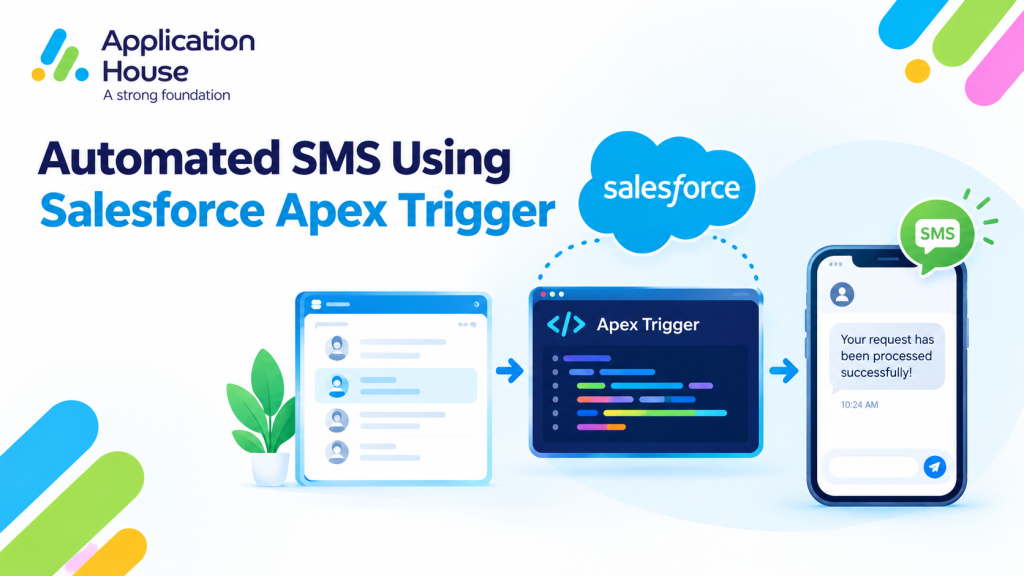
With AI SMS House, you can connect that specific Salesforce event to an automated message using your Apex Trigger.
Your trigger can respond when your chosen record is created, updated or deleted and your business conditions are satisfied.
Use Salesforce Apex Trigger for Event Based Messaging
Your Apex Trigger is most useful when one defined Salesforce record event should cause customer communication.
Your trigger can identify the event, evaluate your conditions and send your approved message through AI SMS House.
Your automation could respond when:
Your mortgage Lender Decision record is created.
Your real estate Deposit Protection record becomes registered.
Your education Transcript Request becomes available.
Your pharmacy Delivery Exception record is created.
Your hospital Referral record reaches the receiving department.
Each event represents a specific point in your business process rather than a general Salesforce update.
Respond to Record Creation
Your trigger can send a message when a new record confirms that an important business event has occurred.
Your mortgage process may create a Lender Decision record when your team receives the lender response.
Your pharmacy process may create a Delivery Exception record when your driver cannot complete a delivery.
Your customer receives an update because your new record represents an event that requires communication.
Respond to a Meaningful Record Update
Your trigger can compare your previous record value with your new value before your message is sent.
Your real estate trigger can act when your deposit status changes from Pending to Registered.
Your education trigger can act when your transcript request changes from Processing to Available.
Your hospital trigger can act when your referral status changes from Sent to Received by Department.
This comparison helps you prevent your message from being sent again when an unrelated field changes.
Handle Record Deletion Carefully
Your Apex Trigger can respond when your Salesforce record is deleted, but your customer communication may require additional consideration.
Your organisation may prefer to preserve the record and use a Cancelled status when your customer needs to understand what happened.
Your mortgage team may cancel a lender decision request, while your hospital may cancel an administrative referral request.
Your status based process can give your team a clearer Salesforce audit history than removing the underlying record.
Mortgage SMS for a New Lender Decision
Your mortgage team may receive a lender decision after your application has been submitted.
Your Salesforce process can create a Lender Decision record containing the application, decision date, assigned adviser and communication status.
Your Apex Trigger can respond when that authorised record is created.
Your trigger can check that your borrower has a valid mobile number and that your configured SMS preference allows the message.
Your automated SMS could say:
“Your lender has issued a decision on your mortgage application. You can contact your adviser to review your next step.”
Your message informs your borrower that an important development has occurred without including sensitive decision details.
Your adviser can continue the conversation from the relevant mortgage application in Salesforce.
Your trigger can avoid sending the SMS when your decision remains provisional or requires internal review.
This process remains separate from your existing mortgage lead response, document chasing, valuation, packaging and offer expiry content.
Pharmacy SMS for an Unsuccessful Home Delivery
Your pharmacy may need to contact a customer when a planned home delivery cannot be completed.
Your delivery process can create a Delivery Exception record containing the delivery request, customer, pharmacy location and exception category.
Your Apex Trigger can send an SMS when your authorised delivery team creates the exception.
Your automated SMS could say:
“Your pharmacy delivery could not be completed today. You can contact your pharmacy to confirm a new delivery arrangement.”
Your customer receives a practical update without your message identifying any medicine or clinical information.
Your trigger can use different wording when your delivery was unsuccessful because of access, address confirmation or customer availability.
Your process remains different from your prescription ready notification and delivery route confirmation content.
Automated Text Using Salesforce Apex Trigger
Your organisation can use a Salesforce Apex Trigger to send an automated text when a particular record reaches an approved status.
Your trigger can respond immediately to your recorded business event without sending the same text after every later update.
Real Estate Tenancy Deposit Registration
Your real estate business may track tenancy deposit registration through a Deposit Protection record.
Your record can contain the tenancy, tenant, deposit amount, registration status and secure document location.
Your Apex Trigger can send a text when your registration status changes from Pending to Registered.
Your automated text could say:
“Your tenancy deposit has been registered, and your confirmation is available in your tenant portal. You can contact your property team if your details are incorrect.”
Your tenant receives confirmation only after your Salesforce record shows that registration is complete.
Your trigger can prevent the text when your registration reference or confirmation document is still missing.
Your process gives you a new real estate use case without repeating property listings, viewings, referencing, rent arrears, repairs or sales progression.
Education Transcript Request Updates
Your school, college or university may use Salesforce to manage student transcript requests.
Your Transcript Request record can contain the student, requested document, processing status and secure delivery method.
Your Apex Trigger can send a text when your request status changes from Processing to Available.
Your automated text could say:
“Your transcript request is ready for secure download. You can access your document through your student portal.”
Your student receives the update only after your authorised education team has made the transcript available.
Your trigger can choose a different message when your student must collect the document or complete an identity check.
Your process remains separate from your admissions, enrolment, examination, school trip and student support content.
Automated WhatsApp Messages Using Salesforce Apex Trigger
Your Apex Trigger can send an automated WhatsApp message when your record event requires communication through your WhatsApp channel.
Your organisation chooses the event, approved message and WhatsApp number used for your process.
Hospital Referral Receipt Confirmation
Your hospital may use Salesforce to track the administrative progress of a patient referral.
Your Referral record can contain the referring service, receiving department, administrative status and patient communication preference.
Your Apex Trigger can send a WhatsApp message when your referral status changes to Received by Department.
Your automated WhatsApp message could say:
“Your hospital referral has been received by the relevant department. You will receive your next update when your appointment arrangements are available.”
Your patient receives confirmation without your message disclosing a diagnosis or other unnecessary clinical information.
Your trigger can stop the message when your referral remains incomplete or has returned to the referring service for administrative correction.
Your hospital team can use a different approved message when your referral is redirected to another department.
Your process remains distinct from your existing hospital appointment, patient triage, discharge, visitor, transport and interpreter content.
Use Apex Trigger with Your Own Salesforce Objects
Your Apex Trigger can respond to the standard or custom object that represents your real business event.
Your automation does not need to depend only on Leads, Contacts, Opportunities or Cases.
Your mortgage business can trigger SMS from a Lender Decision object.
Your real estate business can trigger text messages from a Deposit Protection object.
Your education organisation can trigger text messages from a Transcript Request object.
Your pharmacy can trigger SMS from a Delivery Exception object.
Your hospital can trigger WhatsApp messages from a Referral object.
Your organisation controls the object, qualifying event, recipient field and message information used by your trigger.
Prevent Repeated Messages from Your Apex Trigger
Your trigger should send a message only when the business event first qualifies.
Your implementation can compare your previous and current status before your message is authorised.
Your mortgage trigger should not send another SMS when someone later corrects an internal note on the Lender Decision record.
Your real estate trigger should not repeat your deposit confirmation when another tenancy field is updated.
Your education trigger should not resend your transcript text whenever a user opens or edits the request.
Your pharmacy trigger should not create several delivery exception messages for the same unsuccessful attempt.
Your hospital trigger should not repeat your referral confirmation after each later administrative update.
Your implementation can use a notification status or notification date field maintained by your organisation to identify completed communication.
Apply Your Communication Rules Before Sending
Your trigger can check the messaging conditions required by your organisation before AI SMS House sends the message.
Your conditions may include your selected phone field, communication channel, configured opt out field and notification status.
Your mortgage process can exclude a borrower who should receive communication through another approved contact.
Your real estate process can use the mobile number stored against your tenancy contact.
Your education process can use the student communication details approved by your institution.
Your pharmacy and hospital processes can keep your messages administrative and limit the information included.
You maintain control over when your trigger sends a message and when your trigger takes no messaging action.
Choose Between Your Apex Trigger and Apex Class
Your Apex Trigger is suitable when a clear Salesforce record event should initiate your message.
Your Apex class is useful when your decision requires reusable logic across several related records or different entry points.
Your mortgage Lender Decision creation is a direct trigger event, while your mortgage packaging assessment may require an Apex class to review several records.
Your education Transcript Request status is a direct trigger event, while your placement allocation may require an Apex class to evaluate the student, course and employer records.
This separation helps you give each automation a clear technical and business purpose.
Turn Salesforce Record Events into Customer Communication
Your Salesforce records already capture important events across your industry processes.
You can use AI SMS House with your Apex Trigger to turn those events into relevant SMS, text and WhatsApp messages.
Your borrower can receive a lender decision notification, your tenant can receive a deposit registration confirmation and your student can receive a transcript update.
Your pharmacy customer can receive a delivery exception message, while your hospital patient can receive a referral receipt confirmation.
Your automation becomes useful because your message responds to a specific and approved Salesforce event.