
Salesforce SMS Automation Using Apex Class
Your messaging requirements can become more complex when your decision depends on several related Salesforce records rather than one field.
Your mortgage application may involve multiple applicants and lender conditions, while your hospital appointment may depend on a separate interpreter request and confirmed booking.
With AI SMS House, you can send SMS from your Apex class after your custom Salesforce logic has evaluated the complete business process.
Your Apex class can determine whether your message should be sent, which customer should receive it and which Salesforce information should be included.
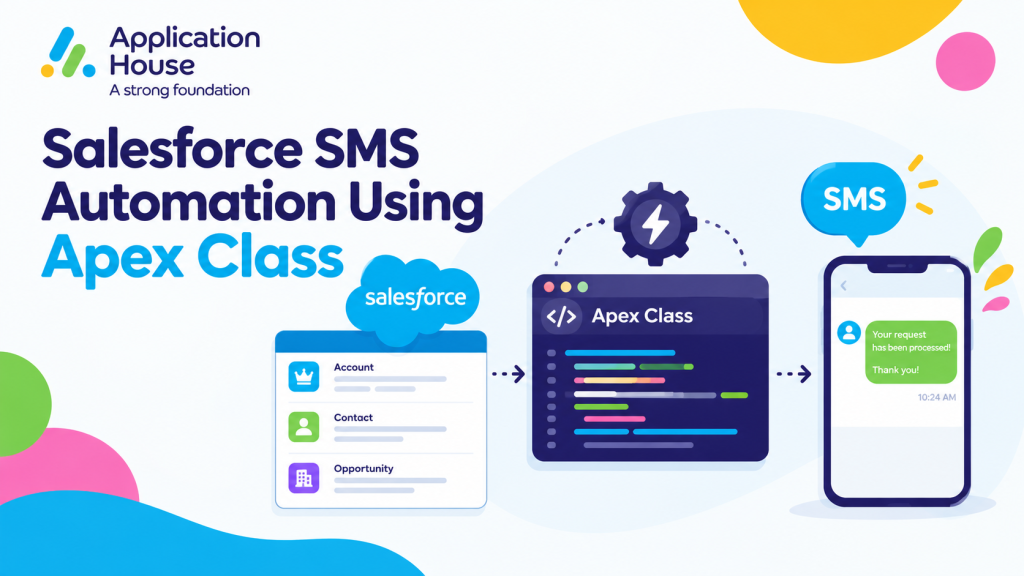
When to Use an Apex Class for Salesforce SMS Automation
Your Apex class can support messaging processes that require reusable rules, information from related records or different decisions for different customers.
Your mortgage team may need to review applicant, property and lender condition records before your borrower receives a submission update.
Your real estate team may need to review several transaction milestones before your buyer receives a progression message.
Your education team may need to combine student, course and employer records before your placement allocation is communicated.
Your pharmacy may need to confirm a delivery request, address and delivery route before your customer receives an update.
Your hospital may need to confirm an appointment and interpreter booking before your patient receives a WhatsApp message.
With Salesforce SMS automation using Apex Class, you can keep your decision logic inside your Apex class and use AI SMS House when your approved outcome requires customer communication.
Mortgage SMS Automation for Application Packaging
Your mortgage application may depend on more than one borrower record, several lender conditions and information about the property.
Your Apex class can evaluate those related records before your borrower receives an SMS about submission readiness.
Your mortgage packaging process could work as follows:
Your Apex class receives the relevant Mortgage Application record.
Your class reviews the primary applicant and any additional applicant records.
Your class checks the property information and the lender conditions required by your process.
Your class confirms that your authorised mortgage team has approved the application for submission.
Your class selects the borrower and mobile number required for the communication.
Your AI SMS House messaging action sends the approved SMS.
Your automated SMS could say:
“Your mortgage application has completed its packaging checks and is ready for lender submission. You can contact your adviser if any information has changed.”
Your borrower receives an update based on the complete application rather than one isolated field.
Your Apex class can stop the SMS when a required approval is missing or when your application is not ready for submission.
Your process therefore communicates a meaningful mortgage milestone without repeating your existing document chasing or mortgage valuation processes.
Apply Your Own Apex Class Logic Before Sending SMS
Your Apex class gives you control over the business decision that takes place before your message is sent.
Your class can check related records, calculate an outcome, choose a recipient and prepare the values required by your message.
Your mortgage business could apply different packaging rules for residential, commercial or specialist applications.
Your education organisation could apply different placement rules for each course or employer programme.
Your real estate business could evaluate different transaction milestones for sales, purchases or managed properties.
Your pharmacy could follow different delivery processes for each location or service area.
Your hospital could use different administrative requirements for each department or appointment type.
You decide how your logic works because your organisation understands its process better than a restricted messaging workflow.
Salesforce Text Automation Using Apex Class
Your organisation can use an Apex class to send automated text messages when your business process needs information from several Salesforce records.
Your text can communicate an approved outcome without asking your users to review every related record and compose the message manually.
Real Estate Transaction Readiness
Your property transaction may involve the buyer, seller, estate agent, solicitor and mortgage provider.
Your Apex class can review the Salesforce records that your organisation uses to track each required milestone.
Your class might check that your authorised team has confirmed the buyer position, seller position, solicitor details and finance status.
Your class can send a text only after your transaction reaches the readiness status defined by your business.
Your automated text could say:
“Your property transaction has moved into exchange preparation. You can review your current action or contact your property adviser for further information.”
Your buyer or seller receives a relevant update without receiving internal details from other parties in the transaction.
Your class can select different message content according to whether your recipient is the buyer, seller, landlord or tenant.
Your process remains distinct from property viewing reminders, new listing alerts, tenant referencing and weekly vendor updates.
Education Work Placement Allocation
Your college or university may manage work placements across students, courses, employers and available placement positions.
Your placement team can approve the allocation before your Apex class prepares the student communication.
Your class can confirm that your student is eligible, your employer placement is active and your allocation has received the required approval.
Your automated text could say:
“Your work placement has been allocated and approved. You can view your employer details, start date and next action in your student portal.”
Your student receives the approved outcome without receiving messages while your placement team is still reviewing possible allocations.
Your Apex class can choose different wording when your placement requires an induction, additional approval or another student action.
Your process supports placement communication without repeating your existing admissions, enrolment, examination or student support content.
Salesforce WhatsApp Messages Automation Using Apex Class
Your Apex class can send an automated WhatsApp message when your process requires custom logic across several operational records.
Your organisation can use WhatsApp for the business processes where your chosen communication channel and approved message format are appropriate.
Pharmacy Home Delivery Route Confirmation
Your pharmacy home delivery process may involve a customer record, delivery request, confirmed address and delivery route.
Your Apex class can check that your fulfilment team has approved the delivery before your WhatsApp message is sent.
Your class can also select the correct pharmacy location, delivery date and customer contact number from your related Salesforce records.
Your automated WhatsApp message could say:
“Your pharmacy delivery has been assigned to the Tuesday delivery route. You can reply if your delivery address or access information has changed.”
Your customer receives an operational update without unnecessary information about the prescription or medicine.
Your class can stop your message when the delivery route remains provisional or when your address confirmation is incomplete.
Your process remains separate from your existing prescription ready and bulk pharmacy messaging content.
Hospital Interpreter Booking Confirmation
Your hospital appointment may require an interpreter before your patient can attend with the appropriate communication support.
Your Salesforce records may include the appointment, interpreter request, required language and confirmed interpreter booking.
Your Apex class can verify that both your appointment and interpreter booking remain active before your WhatsApp message is sent.
Your automated WhatsApp message could say:
“Your interpreter is confirmed for your hospital appointment on 24 November at 10am. You can contact your hospital team if your communication requirements have changed.”
Your patient receives confirmation only after your operational booking process is complete.
Your hospital can keep your message administrative and avoid including unnecessary clinical information.
Your class can choose different wording when your interpreter will attend in person or support your appointment remotely.
Your process provides a new hospital use case without repeating your existing appointment reminder, patient triage, discharge or transport content.
Use Your Own Salesforce Objects and Fields
Your Apex class can work with the standard or custom objects that represent your actual industry process.
Your messaging automation does not need to be restricted to Leads, Contacts, Opportunities or Cases.
Your mortgage process can use Mortgage Application, Applicant, Property and Lender Condition records.
Your real estate process can use Property Transaction, Transaction Party, Finance Status and Legal Milestone records.
Your education process can use Student, Course, Employer Placement and Placement Allocation records.
Your pharmacy process can use Delivery Request, Pharmacy Location and Delivery Route records.
Your hospital process can use Appointment, Interpreter Request and Interpreter Booking records.
Your class can collect the information it needs from these records before your message is prepared.
Your organisation can preserve its existing Salesforce data model while adding SMS, text and WhatsApp communication to the process.
Control When Your Apex Class Does Not Send a Message
Your automation becomes more reliable when your Apex class can decide that no message should be sent.
Your mortgage class can stop your SMS when the application has not received final packaging approval.
Your real estate class can stop your text when one of the required transaction milestones remains incomplete.
Your education class can stop your placement message while the allocation remains provisional.
Your pharmacy class can stop your WhatsApp message when the delivery route has not been approved.
Your hospital class can stop your confirmation when the interpreter booking is still pending.
Your class can also check the phone field, channel preference, configured opt out field and previous notification status used by your organisation.
You remain in control of the conditions that authorise or prevent each message.
Reuse Your Apex Class Across Related Business Processes
Your organisation can reuse your Apex class when several business processes require the same messaging decision or preparation logic.
Your mortgage products may share the same borrower selection process while using different submission rules.
Your real estate branches may share the same transaction communication logic while using different message templates.
Your education departments may share the same placement confirmation service while using different course fields.
Your pharmacy locations may share the same delivery notification logic while using separate business numbers.
Your hospital departments may share the same interpreter confirmation process while using department specific appointment records.
Your reusable approach helps you keep your business rules consistent without forcing every industry process into the same message.
Build Salesforce Messaging Around Your Custom Logic
Your Apex class can perform the complex business assessment that your organisation requires before customer communication begins.
You can then use AI SMS House to send the resulting SMS, text or WhatsApp message from Salesforce .
Your mortgage customer receives an application packaging update, your real estate customer receives a transaction update and your student receives an approved placement result.
Your pharmacy customer receives a delivery route confirmation, while your hospital patient receives an interpreter booking confirmation.
Your automation becomes valuable because your message represents a completed business decision rather than a generic Salesforce event.