
Send SMS Messages from Salesforce
If you already use Salesforce to manage Leads, Contacts, Accounts and customer information, you can also use it to manage SMS communication. Instead of switching between Salesforce and another messaging platform, you can send SMS messages from Salesforce and keep the communication connected to your customer records.
This can make everyday communication easier, particularly when you need to send reminders, follow-ups, updates or messages to several customers.
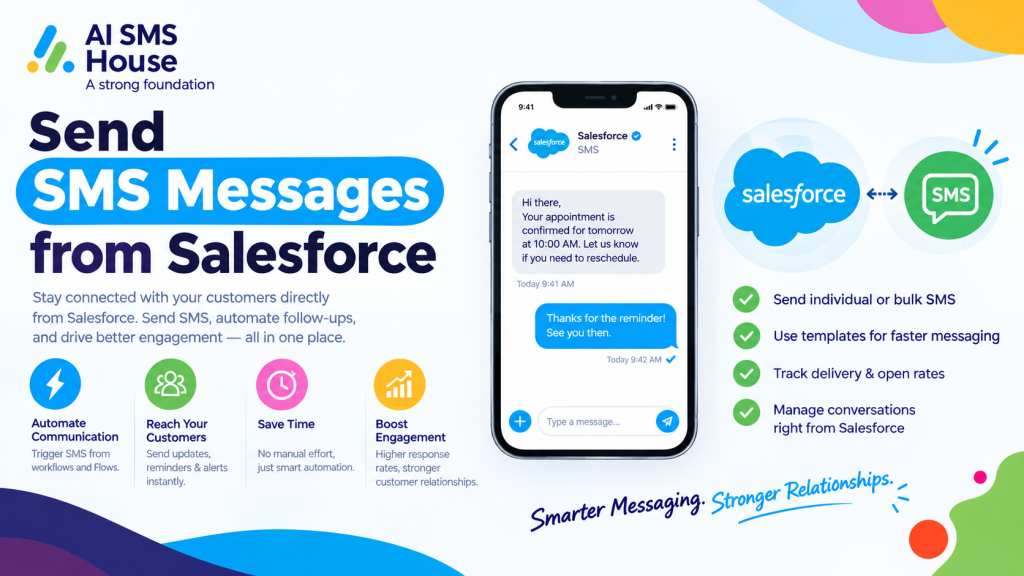
How does Send SMS Messages from Salesforce Works?
To send SMS messages from Salesforce, you generally need a Salesforce SMS messaging solution that connects your Salesforce records with an SMS service.
The basic process works like this:
Salesforce record → Select recipient → Create message → Send SMS → Track message
Your Salesforce data provides the recipient and relevant information, while the messaging service delivers the SMS to the customer’s mobile phone.
How to Send SMS Messages from Salesforce
1. Connect Your Salesforce SMS Solution
First, connect an SMS messaging solution to your Salesforce organisation. This provides the functionality needed to send and receive text messages from Salesforce.
A suitable solution should work with the Salesforce objects and fields you already use.
2. Select a Salesforce Record
Open the relevant Lead, Contact, Account, Case or other Salesforce record.
The customer’s mobile number can be taken from the phone field stored in Salesforce, so you do not need to copy the number into a separate messaging system.
3. Create Your SMS Message
Write the message you want to send. You can create a message manually or use a template for regular communications.
Depending on your setup, you can also use Salesforce information to personalise the message, such as:
1 Customer name
2 Appointment date
3 Order information
4 Case details
5 Follow-up information
4. Send the SMS
Check the recipient and message before sending it.
Once you send the message, it is passed to the SMS service for delivery to the customer’s mobile phone.
5. Track SMS Activity
After sending, you can track the message status and keep communication linked to the relevant Salesforce record.
This gives your team better visibility of previous conversations and helps them understand what has already been communicated.
How to Automate SMS Messages from Salesforce
You do not have to send every message manually. You can connect SMS messaging with Salesforce automation to send messages when specific actions or record changes occur.
For instance, you could send an SMS when:
1 A new Lead is created
2 An appointment is booked
3 A Case is updated
4 A customer needs to provide information
5 A follow-up is due
6 An order reaches a particular stage
Send Bulk SMS Messages from Salesforce
If you need to contact multiple customers, you can use Salesforce List Views, Campaigns or Reports to identify the relevant records.
You can then send a common SMS to a selected group instead of messaging every person individually.
Bulk SMS can be useful for:
1 Event reminders
2 Customer announcements
3 Appointment notifications
4 Service updates
5 Follow-up campaigns
You should always have the appropriate customer consent and follow applicable SMS messaging requirements before sending bulk messages.
Send SMS Messages from Salesforce with AI SMS House
AI SMS House helps you manage SMS and WhatsApp messaging from Salesforce. You can connect conversations with Salesforce records, send individual or bulk messages, use templates and automate customer communication.
Where AI-powered messaging is required, AI SMS House can also work with Agentforce AI Agents to support automated conversations and handover to a human team member when needed.
Benefits of Sending SMS from Salesforce
When you send SMS messages from Salesforce, your messaging becomes part of your existing customer workflow.
You can:
1 Keep customer conversations connected to Salesforce
2 Reduce switching between different systems
3 Automate routine communications
4 Personalise messages using Salesforce data
5 Send individual or bulk SMS messages
6 Track messaging activity
Application House provides Salesforce-focused solutions and can help businesses make better use of Salesforce automation and connected applications.
Final Thoughts
Learning how to send SMS messages from Salesforce can help you bring customer communication into the same system your team already uses. From a simple sales follow-up to an automated appointment reminder, SMS can become a practical part of your Salesforce workflow.
With the right setup, you can send messages, automate routine communication and keep your customer conversations connected to Salesforce.
If you want to explore the Salesforce messaging app, you can view AI SMS House on Salesforce AppExchange.