
Enable or Disable Text Attachments by File Type
You can control how your organisation uses attachments when you send and receive Text messages through Salesforce.
You can enable your incoming attachments when your customers need to provide files, while you can disable them when your business process only requires message content.
You can separately control your outgoing attachments and choose the file types your users are permitted to share.
You can use these controls to create different messaging processes for your mortgage, real estate, education, pharmacy and hospital communication.
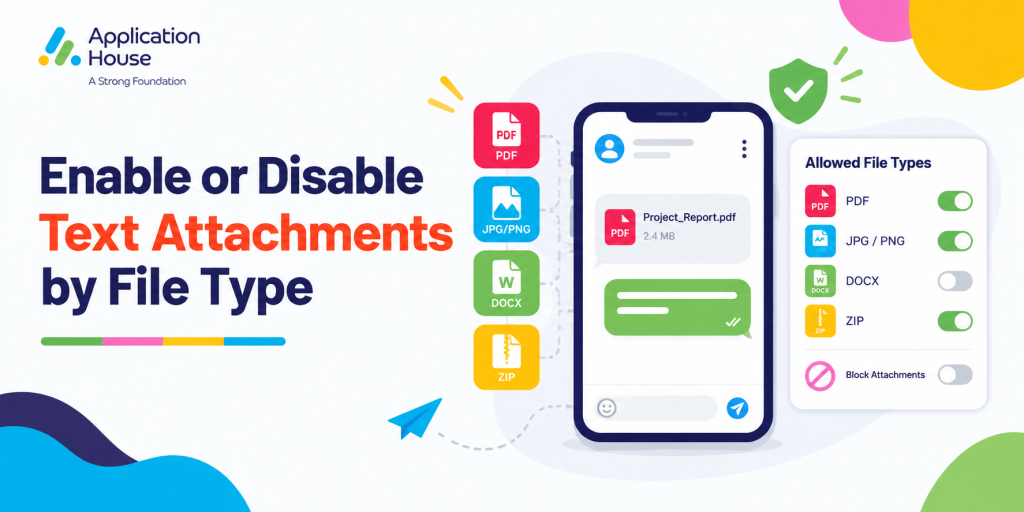
Set Your Text Attachment Rules in Salesforce
You can decide how attachments should work before your users begin exchanging files with customers.
You can control your incoming attachments, your outgoing attachments and your permitted file types independently.
You can make your attachment configuration reflect your actual business process instead of allowing every user to exchange every type of file.
Choose When Your Text Conversations Need Attachments
You can enable your attachments when your customer journey requires documents, images or other supported files.
You can disable your attachments when your Text communication is intended only for reminders, confirmations or short updates.
You can use your configuration to keep your messaging experience appropriate for each business process.
Keep Your File Sharing Consistent
You can define your attachment settings centrally instead of relying on each user to decide what should be exchanged.
You can give your users a clearer messaging process by controlling which file types your organisation accepts.
You can update your configuration when your business requirements change.
Enable Incoming Text Attachments When Customers Need to Send Files
You can enable your incoming attachments when your customers need to provide supporting information through your Text conversation.
You can keep your received files connected to your Salesforce messaging activity when your process allows those attachments.
You can make it easier for your users to review your customer communication together with the files your customer has provided.
Receive Customer Documents Through Your Text Conversation
You can allow your customer to provide supported documents when your business process requires additional information.
You can keep your received attachment accessible from your Salesforce conversation and related record.
You can reduce your need to manage your customer communication and supporting files in separate places.
Disable Incoming Files for Message Only Processes
You can disable your incoming attachments when your Text process does not require your customer to send files.
You can keep your communication simpler when your customer only needs to confirm, reply or provide information through message content.
You can use your attachment configuration to match the purpose of your conversation.
Control Which File Types Your Text Messaging Allows
You can decide which file types your organisation permits within your Text messaging process.
You can allow the file formats your business needs while you restrict formats that your process does not require.
You can create a more controlled file sharing experience without disabling attachments completely.
Allow Your Approved File Types
You can select your supported file types according to the documents or media your business process needs.
You can make your approved formats available to your users while keeping your attachment rules consistent.
You can adjust your permitted file types when your organisation introduces new processes or communication requirements.
Restrict Your Unnecessary File Types
You can prevent your users from exchanging file types your business does not need.
You can reduce unnecessary attachment handling when your customer journey only requires specific formats.
You can keep your Text messaging more focused by allowing only the file types relevant to your process.
Enable Outgoing Text Attachments for Customer Communication
You can enable your outgoing attachments when your users need to provide customers with supporting information.
You can keep your outgoing file connected to your conversation instead of asking your user to move your customer to another communication process.
You can control which file types your users are able to send through your Salesforce messaging configuration.
Send Your Supporting Documents from Salesforce
You can allow your users to send supported documents when your customer needs additional information.
You can keep your document and your customer conversation connected to your Salesforce record.
You can give your users a more complete communication experience without moving your customer interaction away from Salesforce.
Disable Outgoing Files for Notification Based Text Messages
You can disable your outgoing attachments when your Text message is intended only to deliver a reminder, confirmation or update.
You can prevent your users from adding unnecessary files to messaging processes where your attachments provide no business value.
You can make your configuration different for processes where your file sharing is needed and processes where your file sharing is not needed.
Use Text Attachments for Mortgage Processes
You can use your attachment controls when your mortgage process requires your borrower to exchange supporting information.
You can decide which types of mortgage communication should allow your files and which communication should remain Text only.
Receive Mortgage Application Information
You can enable your incoming attachments when your approved mortgage process allows your borrower to provide supporting application information.
You can restrict your permitted file types according to the formats your mortgage organisation accepts.
You can keep your borrower communication and your supporting information connected within your Salesforce process.
Send Mortgage Information to Your Borrower
You can enable your outgoing attachments when your mortgage user needs to provide an approved document to your borrower.
You can disable your outgoing attachments for your simple progress updates or reminders where your file is not required.
You can tailor your attachment settings to different stages of your mortgage journey.
Use Text Attachments for Real Estate Processes
You can use your file controls when your property communication requires documents or images.
You can allow your attachments for detailed property interactions while you keep your routine reminders and confirmations message only.
Share Your Property Documents
You can allow your real estate users to send supported property documents when your buyer, tenant, seller or landlord needs more information.
You can keep your file connected to your customer conversation and related Salesforce record.
You can restrict your available file types according to the information your property process requires.
Receive Your Customer Property Information
You can enable your incoming attachments when your customer needs to provide supported information about your property enquiry or transaction.
You can disable your incoming files for your viewing confirmations and simple appointment responses.
You can use your controls to support different stages of your property journey without applying one rule to every conversation.
Use Text Attachments for Education Processes
You can configure your Text attachments around the documents your recruitment and admissions processes require.
You can enable your attachments where your applicant needs to exchange supporting information and disable your attachments where your communication is purely informational.
Receive Your Student Application Documents
You can allow your applicant to provide supported files when your admissions process permits information through Text messaging.
You can control your permitted file types according to the formats your institution accepts.
You can keep your student communication and your supporting application information connected inside Salesforce.
Send Your Admissions Information
You can enable your outgoing attachments when your admissions user needs to provide an approved document or supporting information.
You can disable your attachments for your deadline reminders, event confirmations or short admissions updates.
You can make your attachment configuration reflect the different stages of your student journey.
Use Text Attachments for Pharmacy Processes
You can configure your pharmacy Text communication according to whether your approved process requires file exchange.
You can keep your routine collection reminders and service notifications message only while you enable attachments for processes where your organisation permits supporting files.
Control Your Pharmacy Customer Files
You can enable your incoming attachments when your approved pharmacy process requires your customer to provide supported information.
You can restrict your accepted file types according to your organisation’s own requirements.
You can disable your file exchange where your pharmacy communication only needs a simple customer response.
Control Your Outgoing Pharmacy Attachments
You can enable your outgoing attachments when your authorised pharmacy user needs to provide your customer with an approved supported file.
You can disable your outgoing files for your reminders and routine service notifications.
You can keep your pharmacy attachment settings aligned with the purpose of your customer communication.
Use Text Attachments for Hospital Processes
You can decide whether your hospital Text processes should permit incoming attachments, outgoing attachments or neither.
You can use your file type controls to limit your attachments to the formats your approved hospital process allows.
Control Your Appointment Related Attachments
You can disable your attachments for your standard appointment reminders when your patient only needs your date, time or confirmation request.
You can enable your attachments when your approved appointment process requires your patient or authorised user to exchange a supported file.
You can keep your attachment configuration appropriate to the purpose of your hospital communication.
Control Your Patient Communication Files
You can restrict your file types when your hospital process permits attachments but only supports particular formats.
You can keep your files associated with your Salesforce conversation when your authorised process allows your attachment.
You can give your authorised users access to your message context and your related supported file from Salesforce.
Keep Your Text Attachments Accessible in Salesforce
With AI SMS House, you can keep your attachments associated with your related Salesforce record.
You can give your authorised users access to your supporting files when they later review your customer interaction.
With AI SMS House, you can maintain your conversation and your file context together rather than separating your messaging history from your attachments.
Configure Text Attachments Around Your Business
You can enable your incoming attachments when your customers need to provide files.
You can disable your incoming attachments when your process should remain message only.
You can independently enable or disable your outgoing attachments according to what your users need to share.
You can choose your permitted file types according to your mortgage, real estate, education, pharmacy and hospital requirements.
You can keep the power in your hands by deciding exactly how your organisation uses Text attachments in Salesforce.