
Customise Every Salesforce WhatsApp Messaging Feature with Your Own Objects, Fields and AI Agents
Your WhatsApp conversations can include approved templates, customer replies, files, automated assistance and personal support. Your Salesforce configuration needs to connect those elements to the records and responsibilities your organisation already manages.
AI SMS House from Application House lets you configure WhatsApp messaging around your own Salesforce objects, fields, phone numbers and Agentforce AI Agents. You choose how your conversations begin, how your files are governed and when your users become involved.
Your administrators can enable the available capabilities that fit each process and disable the options that do not belong there. You can give different departments distinct WhatsApp experiences while your conversations remain within the same Salesforce application.
Configure How Your Salesforce WhatsApp Conversations Begin
Your first configuration choices determine where an incoming conversation belongs and what information becomes available to your users or Agentforce AI Agent. You can make those choices according to the service represented by each WhatsApp number.
Connect Each WhatsApp Number to Your Salesforce Process
You can acquire and configure WhatsApp numbers for the teams, locations or services your organisation operates. You can associate each number with the Record Management configuration that represents its purpose.
You can create multiple Record Management configurations for a number when your business needs different handling rules. Your configuration can consider the object, fields, matching logic and agent required by each process.
Work with Your Own Objects and Fields
You can use a standard Salesforce object or a custom object for your WhatsApp conversation. Your users can work with Contacts, Leads, Cases, Opportunities or specialist records such as your mortgage application, property enquiry or student application.
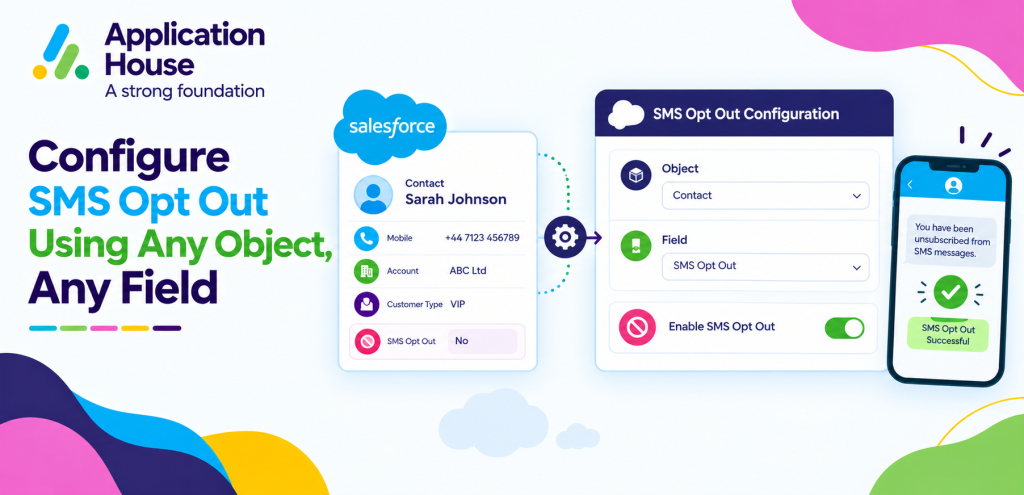
You can select your own customer phone field and opt out field for every configured object. Your WhatsApp setup can respect the data structure your organisation already maintains.
Use Your Approved Templates and Merge Fields
You can use your approved WhatsApp templates for individual, bulk or automated Salesforce WhatsApp messaging according to the applicable WhatsApp requirements. You can add merge fields so your message uses information from the Salesforce record related to your communication.
Your stakeholders can review the templates your organisation intends to use. You can keep your customer communication consistent while your record data supplies the personal details relevant to each recipient.
Control How Your WhatsApp Files Enter and Leave Salesforce
Your WhatsApp process may need documents or images, while another process may need text only. You can decide how attachments work instead of making one file policy apply everywhere.
Enable Incoming and Outgoing Attachments Separately
You can enable incoming attachments when your customers need to send a file and enable outgoing attachments when your users need to provide one. You can also disable either direction when your process should not exchange files.
Your administrators can choose the file types permitted by your configuration. You can keep your file handling aligned with the purpose and governance of each customer journey.
Review Your Attachments Within the Conversation
You can view an attachment from your Conversation View and see the attachment count associated with your message. Your composer can also show the number of files you have added before you send your message.
You can add the attachment to the related Salesforce record so your authorised users can find it with the business context it supports. Your users can avoid maintaining a separate file trail outside the record they manage.
Configure Your Own Agentforce AI Agents for WhatsApp
Your WhatsApp automation can use the Agentforce AI Agents your organisation has already created or new agents designed for a specific service. You decide which agent belongs with each configured process.
Select an Agentforce AI Agent Through Record Management
You can select your Agentforce AI Agent within your Record Management configuration. Your application can identify or create the relevant Salesforce record before your agent continues the customer conversation.
You can give different WhatsApp numbers different Agentforce AI Agents when your sales, service or operational conversations need different instructions. Your configuration can also leave selected numbers without an agent when your users should manage those conversations directly.
Define Your Agent Session Duration
You can configure the number of minutes that your Agentforce AI Agent session remains active. Your session setting can reflect the pace and purpose of the conversation you expect on that number.
You can see your conversation status, expiry and latest message while your full history remains available. Your users can understand whether an incoming message continues an active exchange or begins another session.
Move Your Conversation to a Salesforce User
You can let your user take over from your Agentforce AI Agent through the End Bot control. Your user can review what your customer and agent have already discussed before sending the next reply.
Your handover can keep the same Salesforce record and WhatsApp history in view. You can preserve the context your user needs when a customer asks for personal assistance.
Choose How Your Users Monitor WhatsApp Messaging
Your users need visibility that reflects their Salesforce access and messaging responsibilities. You can configure their numbers, notifications and Inbox experience accordingly.
Use Your Inbox Tab or Utility Bar Inbox
You can review your WhatsApp activity through the dedicated Inbox tab or open the Inbox through your Salesforce Utility Bar. Your users can choose the workspace that fits the task they are completing.
You can filter your Inbox by channel, Salesforce object, date and outgoing message source. You can also select an Agentforce AI Agent to review the conversations that particular agent has handled.
Keep Your Important Conversations Available
You can pin a WhatsApp conversation when your user needs to revisit it after another action. Your pinned conversation remains easier to reach while your user checks a record, consults a colleague or waits for information.
You can navigate from your Inbox to the related Salesforce record and return to your messaging work. Your message history remains visible according to access to that related record.
Configure Your Notifications and Message Evidence
You can enable Salesforce notifications and email notifications for the users who need to know about incoming WhatsApp messages. Your user configuration can assign both the relevant number and notification choice.
You can see whether an outgoing message came from your user, Agentforce AI Agent, Flow, Apex Trigger or bulk process. Your delivery information can also show the available Created, Sent, Delivered and Read stages for your WhatsApp message.
Customise Salesforce WhatsApp for Your Industry
Your WhatsApp setup can combine records, fields, templates, attachments and agents in different ways for each industry. You can configure the channel around the information and responsibility involved in each customer journey.
Manage Mortgage Documents and Borrower Questions
You can connect your WhatsApp number to your Mortgage Application object and use your own fields to identify the borrower and current application. You can send an approved document request template and allow your borrower to return permitted files when your process requires them.
You can attach your received file to the application record and let your Mortgage Support Agent address configured process questions. Your adviser can take over when your borrower needs guidance about individual circumstances or a lending decision.
Support Property Valuations and Viewing Enquiries
You can configure your property WhatsApp process around your Listing, Viewing or Valuation records. You can allow relevant images or documents where your process needs them and keep those files connected to the appropriate Salesforce record.
You can use a Property Enquiry Agent for routine questions while your negotiator handles offers, pricing discussions or individual property decisions. Your users can pin active conversations while they gather information from a seller, landlord or colleague
Guide Applicants and Students Through Education Processes
You can connect your admissions WhatsApp number to your Applicant or Student Application object. You can use approved templates for application updates and select the fields that personalise your institution’s communication.
You can assign your Admissions Agent to common process questions and route individual circumstances to your admissions user. Your file configuration can permit the document types your process accepts while excluding formats your institution does not use.
Keep Pharmacy WhatsApp Within Your Approved Service Scope
You can configure your pharmacy number for practical service conversations and connect each exchange to your chosen customer or service record. You can decide whether your process allows attachments and which users receive notice of an incoming response.
You can give your Pharmacy Service Agent approved administrative guidance while your authorised pharmacy professional handles questions that require professional judgement. Your human takeover control lets you move the conversation to the appropriate person with its history available.
Organise Hospital Appointment and Visitor Communication
You can use your hospital appointment or service object for WhatsApp administration and keep your conversation visibility aligned with Salesforce record access. You can use approved templates for appointment or visitor information while your fields provide the relevant record details.
You can select your Hospital Appointment Agent for routine administrative questions and let your authorised user continue any enquiry that needs record access or personal review. Your attachment controls can support approved documents while your file type rules limit what the process accepts.
Shape Salesforce WhatsApp Around Your Organisation
Your WhatsApp service can reflect your Salesforce records, communication policies and team responsibilities. With AI SMS House, you can configure your objects, fields, templates, files, users, phone numbers and Agentforce AI Agents around the customer experience you want to provide.
You can begin with one focused WhatsApp process and extend your setup when your organisation is ready. You can book a demonstration with Application House to explore how every available configuration choice can support your own Salesforce environment.