
Automatically Create Salesforce Tasks When SMS Sent
You can automatically create Salesforce Tasks when you send SMS from Salesforce , so your next customer action stays visible after your message has been sent.
You can use your Salesforce Task to remind your user to call, review information, request documents or continue your customer journey.
You can keep your SMS communication and your follow up activity together inside Salesforce instead of relying on separate reminders.
You can control whether your Create Task option is available for your individual and bulk messaging processes.
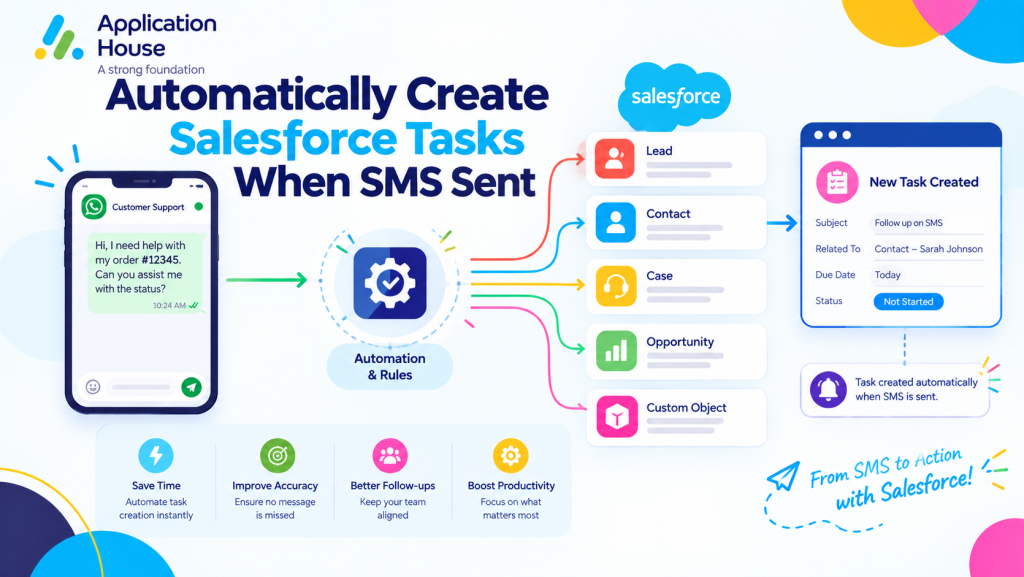
Create Salesforce Tasks from One to One SMS
You can create your Salesforce Task with AI SMS House when you send an individual SMS directly from your Salesforce record.
You can use your Send Message button to communicate with your customer and keep your required next action connected to your Salesforce process.
You can make your next follow-up visible without asking your user to create a separate reminder after your SMS is sent.
Create Your Follow Up Task When Sending SMS
You can create your Task when your SMS requires your user to take another action.
You can use your Task for your call back, document review, customer response or other next step.
You can keep your messaging activity connected to your normal Salesforce Task process.
Control When Your Users Can Create Tasks
You can enable or disable your Task option according to your organisation’s messaging process.
You can decide whether your users should have your Create Task option for one to one SMS, bulk SMS or both. Pasted text
You can keep your Task Automation flexible instead of forcing every message into the same follow up process.
Create Salesforce Tasks for Mortgage SMS Follow Ups
You can use your SMS Task Automation throughout your mortgage journey when your borrower communication requires another action.
You can keep your borrower message and your internal follow up connected to the Salesforce record where you manage your mortgage process.
Follow Up New Mortgage Enquiries
You can send your SMS after your borrower makes an enquiry and create your Task for your sales follow up.
You can acknowledge your borrower quickly while keeping your next personal contact visible in Salesforce.
Follow Up Mortgage Document Requests
You can send your borrower an SMS requesting outstanding documents and create your Task to check whether your documents have been received.
You can keep your document request and your review activity connected to your mortgage application process.
Follow Up Mortgage Payment or Signing Actions
You can send your SMS with your payment, signing or action reminder and create your Salesforce Task for your next review.
You can help your users keep your mortgage application moving when your borrower still needs to complete an important step.
Create Salesforce Tasks for Real Estate SMS Follow Ups
You can use your Salesforce Tasks when your property SMS requires your agent or user to continue the customer conversation.
You can keep your property enquiry, your message and your next action together inside Salesforce.
Follow Up Property Enquiries
You can send your SMS after your buyer or tenant makes a property enquiry and create your Task for your next call or response.
You can make sure your property enquiry remains visible after your first message has been sent.
Follow Up Property Viewings
You can send your viewing confirmation by SMS and create your Task for your post viewing follow up.
You can remind your user to contact your buyer or tenant after your viewing and capture their interest.
Follow Up Buyers and Sellers
You can send your SMS update to your buyer or seller and create your Task when your user needs to continue your conversation.
You can keep your customer relationship active without relying on your user to remember the next action manually.
Create Salesforce Tasks for Education SMS Follow Ups
You can use your Task Automation when your student SMS creates another action for your admissions or recruitment users.
You can keep your student communication and your required follow up connected to your Salesforce education records.
Follow Up Student Enquiries
You can send your SMS to your prospective student and create your Task for your admissions follow up.
You can keep your new student enquiry visible until your user completes the next recruitment action.
Follow Up Application Documents
You can send your student an SMS about missing application information and create your Task to review your application later.
You can keep your document reminder connected to your admissions process inside Salesforce.
Follow Up Campus Visits and Open Days
You can send your campus visit or open day reminder by SMS and create your Task for your follow up after your event.
You can help your recruitment users continue your student conversation after your visit has taken place.
Create Salesforce Tasks for Pharmacy SMS Follow Ups
You can use your Salesforce Tasks when your pharmacy SMS requires your authorised user to review or continue your customer interaction.
You can keep your pharmacy communication and your next service action visible inside Salesforce.
Follow Up Prescription Collection Messages
You can send your prescription collection SMS and create your Task when your customer interaction needs another review.
You can keep your collection communication and your follow-up activity connected to your pharmacy process with AI SMS House
Follow Up Medication or Service Enquiries
You can send your customer an SMS and create your Task when your pharmacy user needs to respond or review your enquiry later.
You can help your authorised users keep your customer service activity organised.
Follow Up Pharmacy Reminders
You can send your reminder SMS and create your Task when your process requires another action after your message.
You can keep your follow up visible even when your original SMS has already been delivered.
Create Salesforce Tasks for Hospital SMS Follow Ups
You can use your Task Automation when your hospital SMS requires another action from your authorised user.
You can keep your appointment communication and your operational follow up connected inside Salesforce.
Follow Up Hospital Appointments
You can send your appointment reminder by SMS and create your Task when your appointment requires confirmation or another action.
You can help your authorised user see which patient interaction still needs attention.
Follow Up Patient Information Requests
You can send your SMS requesting information and create your Task for your next review.
You can keep your request and your follow up action together within your Salesforce process.
Follow Up After Hospital Visits
You can send your post visit SMS and create your Salesforce Task when your patient journey requires another contact or review.
You can keep your follow up process visible without asking your user to maintain a separate reminder.
Create Salesforce Tasks from Bulk SMS
You can create your Salesforce Tasks as part of your bulk SMS process when your outreach requires follow up activity.
You can send your bulk messages from your Salesforce List Views, Reports or Campaigns and keep your subsequent actions within Salesforce. Pasted text
You can use your bulk messaging and your Salesforce Tasks together when your campaign creates work for your users.
Follow Up Bulk Mortgage and Property SMS
You can send your bulk SMS for your mortgage updates or property communications and create your Tasks when your users need to follow up selected customers.
You can keep your larger outreach connected to your individual Salesforce activity.
Follow Up Education and Healthcare SMS Campaigns
You can send your bulk SMS for your education, pharmacy or hospital communication and create your Tasks when your process requires additional user action.
You can keep your campaign communication and your internal follow up within the same Salesforce environment.
Keep Your SMS Follow Ups Organised in Salesforce
You can use your Salesforce Tasks to turn your SMS communication into visible next actions.
You can keep your mortgage, real estate, education, pharmacy and hospital follow ups connected to the Salesforce processes your users already follow.
You can decide when your SMS should create your next Salesforce action and when your message should remain communication only.
You can keep the power in your hands by configuring your SMS Task Automation around the way your organisation works.