
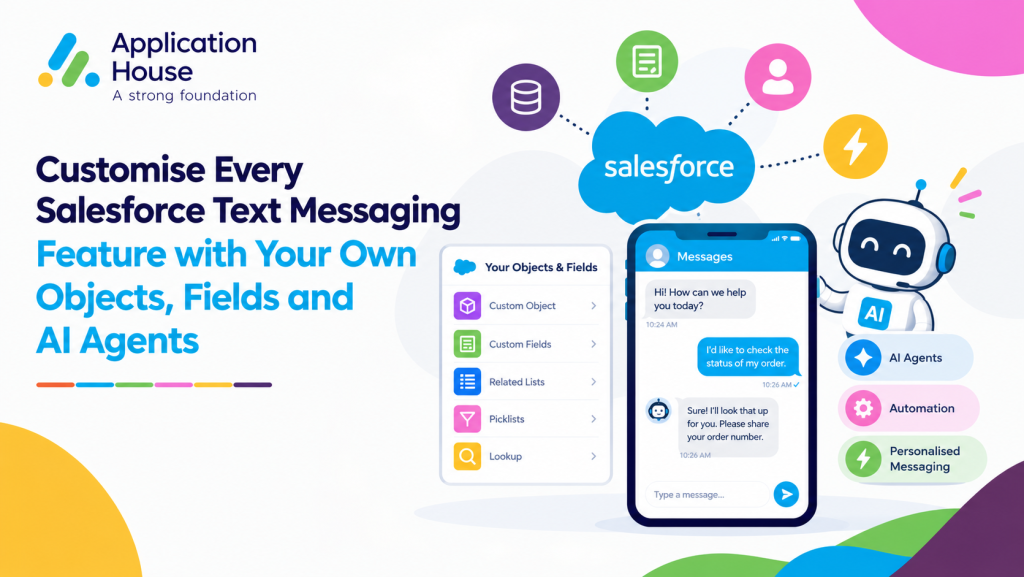
Customise Every Salesforce Text Messaging Feature with Your Own Objects, Fields and AI Agents
Your sales, service and operational teams may all use Text messaging for different reasons. Your application should let you support those differences through configuration instead of forcing each team into the same process.
AI SMS House gives you the controls to shape Salesforce Text messaging around your work. You can decide where conversations live, how messages are sent, what happens when a reply arrives and when your own Agentforce AI Agents become involved.
Your configuration can grow with your organisation because you can revise the objects, fields, users, numbers and automation behind each messaging process. You remain in control as your teams introduce new services or change their responsibilities.
Design Salesforce Text Messaging Around the Work Your Teams Perform
Your Text messaging setup can begin with the outcome each team needs. You can build separate processes for personal conversations, wider communications and automatic updates while keeping every activity connected to Salesforce.
Give Each Team the Salesforce Records It Already Uses
You can configure Text messaging on the standard or custom objects that support each team. Your sales users might work with Leads and Opportunities, while your service users might work with Cases or a custom Service Request object.
Your users can send and receive messages from the records that already contain their customer context. You can choose a different phone field for each object when your data model stores contact details in different places.
Choose How Each Text Message Is Sent
You can let your users send an individual Text from a record or compose a conversation from the Inbox. You can also support bulk communication from List Views, Reports and Campaigns when your team needs to reach a defined audience.
You can schedule recurring communication with your chosen start date, end date, frequency and sending time. You can also use Salesforce Flow or an Apex Trigger when your Text should follow a record event or a set of business conditions.
Decide Which Supporting Actions Appear
You can choose whether an individual or bulk Text produces a related Salesforce Task. Your team can use the option where a follow up activity adds value and leave it unavailable where another process already captures the work.
You can enable incoming and outgoing attachments according to your requirements and choose the permitted file types. Your administrators can keep file exchange available for one process while your users rely on message content alone for another.
Configure the Journey from an Incoming Text to the Right Team
Your incoming reply needs a clear route into Salesforce. You can configure more than one Record Management process for a messaging number when your business requires different handling rules.
Apply Your Own Record Rules to Each Customer Journey
You can decide whether your incoming Text should match an existing record, create a record, attempt both actions or remain as an unlinked conversation for review. You can map the fields used for matching and record creation according to your own data.
You can add a SOQL WHERE Clause when your matching needs another condition, or you can call your own Salesforce Flow when your decision spans several objects. Your routing can reflect the logic your organisation already trusts.
Organise Your Conversation into Meaningful Sessions
You can set the number of minutes that keeps your Text conversation in an active session. Your next incoming or outgoing message can begin a new session after your configured period expires.
You can review your session status, expiry and latest message while your previous message history remains available. Your users can understand whether a customer is continuing an active exchange or returning with a new need.
See How Your Outgoing Text Was Produced
You can identify whether your message came from a Salesforce user, an Agentforce AI Agent, a Flow, an Apex Trigger or bulk activity through a List View, Report or Campaign. Your source information gives your users context before they continue the conversation.
You can also review message lifecycle information such as Created, Sent, Delivered and Read where the channel provides that status. Your team can understand how each communication progressed without leaving its Salesforce messaging environment.
Decide How Your Users and Agentforce AI Agents Share the Work
Your configuration can separate the work suited to automation from the conversations that need a person. You can make that decision for each messaging number and each business process.
Use Your Own Agentforce AI Agents for Specific Responsibilities
You can connect an Agentforce AI Agent your organisation already uses or create another agent for a new Text process. Your agent can respond within the knowledge, instructions and actions you have configured in Agentforce.
You can assign different agents through your Record Management configuration when your services need different expertise. Your sales conversation can use one agent while your support or admissions conversation uses another.
Keep Some Numbers Available for Your Users
You can operate Text numbers with an Agentforce AI Agent and other numbers without one. Your organisation can introduce automation where it has a defined purpose while your users continue to manage other conversations themselves.
You can assign numbers and notification preferences to individual Salesforce users. Your users can receive a Salesforce or email notification when the configuration calls for their attention.
Move a Text Conversation from Your Agent to Your User
You can stop your automated replies through the End Bot control when a conversation requires judgement or personal assistance. Your Salesforce user can read the existing history before continuing the exchange.
You can keep the conversation attached to its related Salesforce record throughout the transition. Your customer does not need to restart the discussion when your responsibility moves from an agent to a person.
Adapt Salesforce Text Messaging to Your Industry Processes
Your industry examples become more useful when the configuration reflects the actual teams, records and decisions behind them. You can create a different operating model for each service without replacing your Salesforce design.
Separate Mortgage Purchase and Remortgage Text Enquiries
You can configure your purchase and remortgage processes around different record criteria even when your customers use the same business number. Your Record Management rules can decide which object and active process should receive each incoming Text.
You can select a Purchase Enquiry Agent for one route and a Remortgage Enquiry Agent for another route where your design identifies the correct process. Your adviser can take over when your borrower needs an individual discussion.
Support Real Estate Sales, Lettings and Property Management
You can give your property teams Text messaging that follows their separate responsibilities. Your sales users can work from buyer and seller records, while your lettings users can work from tenant, landlord or maintenance records.
You can use different templates, phone fields and notifications for each process. Your Inbox filters can help each user concentrate on the objects and message sources relevant to their current workload.
Coordinate Education Recruitment and Student Services
You can use Campaigns and Reports for applicant communications while your users handle individual student questions from their related records. Your scheduled messages can support recurring deadline reminders, and your automation can respond to changes in an application stage.
You can keep prospective student communication associated with your Applicant object and current student communication associated with your chosen student service record. Your institution can use different Agentforce AI Agents when each audience needs different guidance.
Organise Pharmacy Collection and Service Conversations
You can separate routine collection communication from enquiries about your pharmacy services. Your configuration can use different templates, message categories and user notifications according to the purpose of each Text.
You can store your opt out preference in the field your pharmacy already uses and keep marketing choices separate from system or informational communication. Your authorised user can take over any conversation that moves beyond the role you assigned to your agent.
Route Hospital Referral and Outpatient Administration
You can configure Text messaging for the objects your hospital uses to manage referrals, outpatient visits or another administrative process. Your incoming reply can follow your matching logic while your record visibility controls which users can read the related history.
You can use separate numbers, users or Agentforce AI Agents when your departments require different handling. Your audit information can show your users whether a previous message came from a person, agent or Salesforce automation.
Let Your Salesforce Text Messaging Change with Your Organisation
Your messaging requirements will change as your organisation adds services, objects, fields and automation. You can update your AI SMS House configuration so your Text messaging continues to reflect the way your teams work.
You can start with one defined process and extend your setup when your users are ready. You can speak with Application House about configuring Salesforce Text messaging around your own records, responsibilities and Agentforce AI Agents.