
View All Salesforce SMS in Inbox
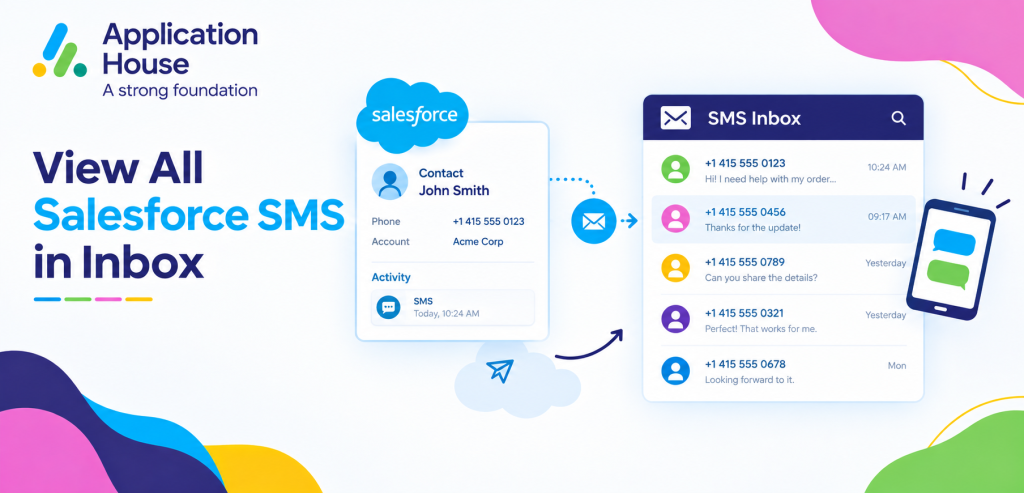
You can view your incoming and outgoing Salesforce SMS conversations from one central Inbox instead of opening individual records to find your latest messages.
You can use your Inbox to find the conversations that need your attention, open your SMS history and move directly to your related Salesforce record.
You can filter your Inbox using your messaging channel, Salesforce object, date range and message source, while you can pin your important conversations so your current work remains easy to find. Features_Messenger_App
You can use your Inbox across your mortgage, real estate, education, pharmacy and hospital processes while your Salesforce records remain connected to every conversation.
View Salesforce SMS in One Inbox with Filters and Pinned Conversations
You can bring your Salesforce SMS conversations together in one Inbox while you use filters to focus on the messages relevant to your current work.
You can narrow your Inbox instead of searching through every conversation your organisation has received or sent.
You can pin your important conversation when you need to return to it after opening another record or completing another Salesforce activity.
Filter Your Inbox to View SMS Conversations
You can filter your messaging Inbox by channel when you want to focus specifically on your SMS conversations.
You can separate your SMS activity from your other messaging channels while you keep everything available through the same Salesforce Inbox.
You can give your users a faster way to find the customer conversations that belong to the channel they are currently managing.
Filter Your SMS by Salesforce Object
You can filter your SMS conversations according to the Salesforce object connected to your message. Features_Messenger_App
You can focus your Inbox on your Leads, Contacts, Cases, Opportunities or other Salesforce objects when your users are working on a particular business process.
You can reduce the amount of unrelated messaging your user needs to review before finding the conversation they need.
Filter Your SMS by Date
You can filter your conversations using Today, Yesterday, Last 7 Days, Last 30 Days, Last 90 Days or Last 120 Days.
You can use your date filters to find your recent customer replies or review your SMS activity from an earlier period. This helps you find Salesforce text messages in inbox when you need to review specific customer conversations.
You can make your Inbox more useful when your users need to concentrate on messages received within a particular timeframe.
Filter Your SMS by Message Source
You can see whether your outgoing SMS came from your one to one conversation, your Send Message button, your automation or your bulk messaging process. Features_Messenger_App
You can use your message source to understand how your customer communication was generated.
You can separate your manually sent SMS from your automated or bulk communication when your users need to review a particular type of activity.
Pin Important Salesforce SMS Conversations
You can pin your important SMS conversation when your user needs to keep it readily available while working elsewhere in Salesforce.
You can return to your pinned conversation after navigating to another screen without having to search for it again. Features_Messenger_App
You can use your pinned conversations for enquiries or customer situations that need continued attention.
Pin Mortgage Conversations That Need Follow Up
You can pin your borrower conversation when your mortgage enquiry needs documents, qualification or another follow up.
You can keep your important borrower SMS visible while your user checks your mortgage application or other Salesforce information.
You can return to your pinned conversation when your user is ready to continue your borrower communication.
Pin Property Enquiries That Need Fast Attention
You can pin your property enquiry when your buyer or tenant is actively discussing a viewing or needs additional information.
You can keep your high interest property conversations easy to reach while your user checks your property or customer record.
You can make your active property enquiries easier for your sales users to manage from your Inbox.
Pin Student Enquiries During Admissions
You can pin your student conversation when your prospective student needs help with your application, admissions deadline or campus visit.
You can keep your important admissions conversation visible while your user reviews your student record.
You can help your admissions users return quickly to your student conversations that still need attention.
View SMS Across Mortgage and Real Estate Processes
You can use your SMS Inbox to manage multiple conversations
across your sales processes without opening every borrower or property record individually.
You can use your object and date filters to focus on the part of your pipeline your user is working with.
You can use your pinned conversations to keep your most urgent sales interactions visible.
View Mortgage SMS by Salesforce Record
You can filter your Inbox around your mortgage Salesforce objects when your users need to focus on borrower communication.
You can review your borrower replies about applications, appointments, documents or other mortgage activity from your Inbox.
You can navigate from your SMS conversation directly to your related Salesforce record when your user needs the complete borrower context.
View Real Estate SMS by Customer Activity
You can use your Inbox to find SMS conversations linked to your property Leads, Contacts, Opportunities or your custom Salesforce records.
You can filter your recent messages when your users need to review viewing confirmations, property questions or buyer responses.
You can pin your active enquiries while your users continue working through other property conversations.
Manage Education SMS from One Salesforce Inbox
You can use your Inbox to organise your student SMS communication without requiring your admissions users to open every individual Salesforce record first.
You can filter your conversations according to your education records and your required date range.
You can keep your urgent student conversations pinned while your users continue processing other applications.
Prioritise Student Application Replies
You can use your Inbox to find your recent student responses when your applicants reply about documents, deadlines or admissions requirements.
You can open your conversation directly from your Inbox and navigate to your student record when your user needs more context.
You can keep your student communication and your Salesforce admissions process connected without searching across different systems.
Keep Important Admissions Conversations Pinned
You can pin your student conversation when your applicant needs further attention from your admissions user.
You can return to your conversation later while your user continues working through other student enquiries.
You can give your admissions users a simple way to keep your priority conversations visible.
Manage Pharmacy SMS from Your Inbox
You can use your Inbox to review pharmacy SMS communication connected to your Salesforce customer or service records.
You can use your date filters to focus on your latest prescription, collection or service responses.
You can pin your important pharmacy conversations when your authorised user needs to complete another action.
Find Prescription and Collection Replies Quickly
You can filter your recent SMS when your customers respond to your prescription or collection communication.
You can navigate from your conversation to your related Salesforce record when your authorised user needs your customer context.
You can keep your pharmacy communication organised while your users work through multiple customer conversations.
Keep Pharmacy Enquiries Visible
You can pin your pharmacy conversation when your customer question requires further review.
You can keep your important enquiry accessible while your authorised user completes another Salesforce activity.
You can return to your conversation without searching through your full Inbox again.
Manage Hospital SMS from Your Inbox
You can use your Salesforce Inbox to manage patient related SMS communication for your authorised users.
You can filter your conversations according to your hospital Salesforce records and your required timeframe.
You can keep your appointment and service conversations easy to find while your users manage other patient interactions.
Review Appointment Responses
You can find your recent appointment confirmations, changes or questions using your Inbox filters.
You can open your SMS conversation and navigate directly to your related Salesforce record when your authorised user needs additional information.
You can keep your appointment communication connected to your hospital process while your conversation remains accessible from one Inbox.
Pin Patient Conversations Requiring Action
You can pin your patient conversation when your authorised user needs to return to your appointment or service enquiry.
You can keep your important conversation visible while your user reviews your related Salesforce information.
You can make your outstanding communication easier to manage without creating another messaging queue outside Salesforce.
Compose New SMS Directly from Your Inbox
You can start your new SMS directly from your Inbox without first navigating to your Salesforce record. Features_Messenger_App
You can use your Inbox when your user already knows which customer they need to contact and wants to begin your conversation quickly.
You can still navigate to your related Salesforce record whenever your user needs your additional customer or business context.
Open Your Salesforce Record from the SMS Inbox
You can move directly from your Inbox conversation to your related Salesforce record. Features_Messenger_App
You can review your customer information without losing the context of the SMS conversation your user was working on.
You can use your Inbox as the starting point for your communication while your Salesforce record remains available whenever your process requires more detail.
Access Your SMS Inbox from the Salesforce Utility Bar
You can access your Inbox features through your Salesforce Utility Bar while your user works inside another Salesforce app. Features_Messenger_App
You can keep your SMS conversations available without requiring your user to return to the Messenger App every time a customer replies.
You can make your messaging part of your everyday Salesforce workflow while your users continue working with the records and applications they already use.
Keep Your Salesforce SMS Organised in One Inbox
You can view your incoming and outgoing Salesforce SMS conversations from one place while your filters help you focus on your current work.
You can use your channel, object, date and source filters to narrow your Inbox according to your business need.
You can pin your important mortgage, real estate, education, pharmacy and hospital conversations when your users need to return to them later.
You can keep your customer messaging easier to find, prioritise and continue while your Salesforce records remain connected to every conversation.