
Enable or Disable SMS Attachments by File Type
You can control whether your organisation accepts incoming SMS attachments, allows outgoing SMS attachments, or uses both directions according to your business requirements.
You can also decide which file types your messaging process allows, giving you more control than simply turning attachments on for every conversation. With Salesforce SMS attachments by file type, you can define which files your users and customers can exchange through your messaging process.
You can apply your attachment settings through your Salesforce messaging configuration
while keeping your supported files connected to your conversations and Salesforce records.
You can use your attachment controls differently across your mortgage, real estate, education, pharmacy and hospital processes depending on what information your customers and users need to exchange.
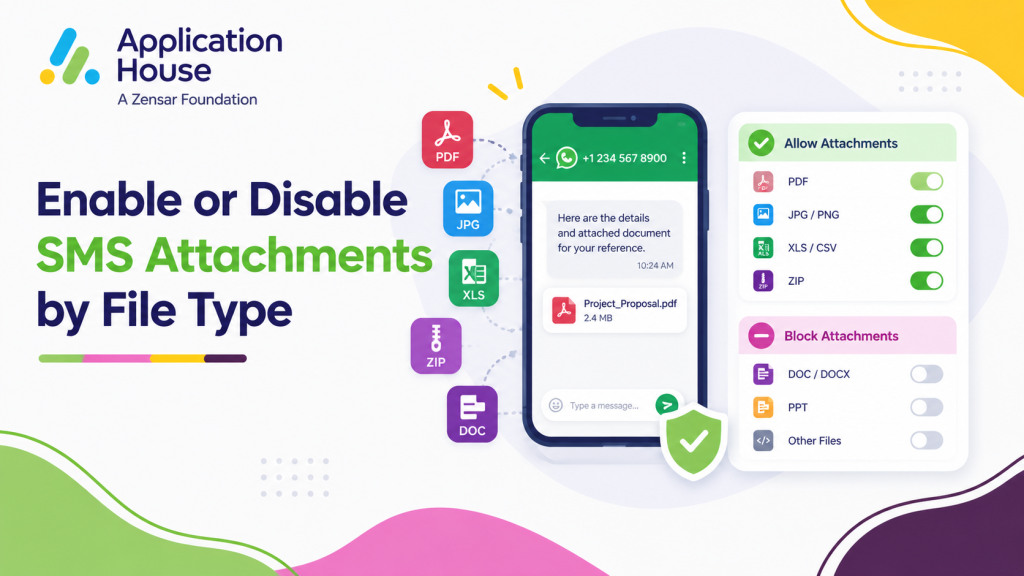
Enable or Disable Incoming SMS Attachments
You can enable your incoming attachments when your customers need to send supported files as part of your SMS conversation.
You can disable your incoming attachments when your business process does not require customers to send files through your messaging channel.
You can decide whether receiving attachments supports your process instead of automatically accepting files for every type of conversation.
Enable Incoming Attachments When You Need Customer Files
You can enable your incoming attachments when your customer needs to provide information that supports your Salesforce process.
You can keep your received attachment visible within your conversation and connected to your related Salesforce record. AI Agent Messenger
You can give your users access to your conversation and your supported files from the same Salesforce context.
Disable Incoming Attachments When You Only Need Messages
You can disable your incoming attachments when your customer only needs to send you message content.
You can simplify your messaging process when your users do not need to receive files through that particular communication channel.
You can align your attachment availability with your organisation’s own communication policy.
Enable or Disable Outgoing SMS Attachments
You can separately decide whether your Salesforce users are allowed to send attachments through your SMS messaging process.
You can enable your outgoing attachments when your users need to share supported files with customers.
You can disable your outgoing attachments when your process should remain limited to message content.
Enable Outgoing Attachments for Relevant Business Processes
You can enable your outgoing attachments for Salesforce processes where your customers need supporting information.
You can keep your outgoing files associated with your messaging conversation and your related Salesforce record.
You can give your users a controlled way to share approved content without moving your customer conversation into another messaging system.
Disable Outgoing Attachments Where Files Are Not Required
You can disable your outgoing attachments when your users should not send files through a particular messaging process.
You can keep your communication focused on the message content when attachments do not add value to your customer journey.
You can make your attachment controls reflect how your organisation wants each messaging process to operate.
Control Which SMS Attachment File Types You Allow
You can choose which attachment file types your messaging configuration permits instead of allowing every available file type.
You can use your file type controls to decide which formats fit your business process and your organisation’s policy.
You can permit your required file formats while restricting your file types that your users should not exchange.
Allow File Types Your Business Uses
You can allow your supported file types when your business process regularly uses particular documents, images or other permitted media.
You can configure your attachment policy around what your users and customers genuinely need to exchange.
You can keep your messaging configuration relevant to your actual business use rather than enabling unnecessary formats.
Restrict File Types Your Process Does Not Need
You can restrict your unwanted file types when your organisation does not want them used through your messaging process.
You can reduce unnecessary file sharing by limiting your attachments to the formats your business has approved.
You can change your configuration as your messaging requirements and internal policies develop.
Control SMS Attachments Across Your Business Processes
You can use different attachment requirements depending on the business process your Salesforce records represent.
You can support file exchange where your users need supporting information while keeping other customer conversations message only.
You can use your attachment governance to support your mortgage, property, education and healthcare workflows without treating every conversation the same way.
Control Mortgage Application Attachments
You can enable your incoming attachments when your mortgage process allows your borrower to provide supported application information through your messaging conversation.
You can enable your outgoing attachments when your mortgage user needs to provide an approved document or other supported file to your borrower.
You can restrict your permitted file types so your mortgage messaging process accepts only the formats your organisation has approved.
Control Real Estate Enquiry Attachments
You can enable your attachments when your real estate process requires your buyer, tenant, seller or landlord to exchange supported property information.
You can allow your users to share approved documents or images when your particular customer journey requires them.
You can disable your attachments for property conversations where your SMS should remain a simple notification or confirmation.
Control Education Application Attachments
You can enable your incoming attachments when your education process allows your applicant to provide supported information for your admissions process.
You can allow your admissions users to send approved documents where your student journey requires additional information.
You can control your permitted file types according to the formats your institution wants your applicants and users to exchange.
Control Pharmacy Communication Attachments
You can decide whether your pharmacy messaging process needs incoming or outgoing attachments according to your organisation’s approved communication rules.
You can disable your attachments for your pharmacy notifications when your customer only needs a collection reminder or service update.
You can restrict your file formats when your pharmacy process permits attachments but only allows specific supported types.
Control Hospital Communication Attachments
You can decide whether your hospital messaging process allows attachments for the particular patient communication your authorised users manage.
You can disable your attachments when your appointment reminder or notification does not require any file exchange.
You can limit your permitted attachment types when your authorised process allows supporting files but your organisation wants tighter control over the formats used.
Keep Your SMS Attachments Connected to Salesforce
You can keep your supported messaging attachments associated with your Salesforce conversation and related record.
You can use Salesforce Files and File Preview to access your supported incoming and outgoing attachments within your Salesforce messaging process. AI Agent Messenger
You can keep your conversation, your customer record and your related file context together instead of asking your users to search across separate systems.
Preview Your SMS Attachments in Salesforce
You can preview your supported files through your Salesforce file experience when your attachment is available within your conversation.
You can review your file without losing the Salesforce context around your customer interaction.
You can make your messaging history easier to understand when your conversation includes supporting files.
Keep Your Attachments with the Related Salesforce Record
You can associate your attachments with your related Salesforce records so your users can access your files alongside the business process they support.
You can keep your attachment context available when another authorised user later reviews your customer record.
With AI SMS House, you can maintain a more complete Salesforce history by keeping your messages and your supported attachments connected.
Configure SMS Attachment Controls Your Way
You can decide whether your incoming SMS attachments are enabled or disabled.
You can separately decide whether your outgoing SMS attachments are enabled or disabled.
You can choose which file types your messaging process permits.
You can adapt your attachment configuration to your mortgage, real estate, education, pharmacy and hospital requirements instead of accepting one attachment policy for every business process.
You can keep the power in your hands by deciding exactly how your organisation uses attachments within Salesforce messaging.