
Automatically Create Salesforce Tasks When WhatsApp Message Sent
You can automatically create Salesforce Tasks when you send a WhatsApp message from Salesforce , helping you turn your customer conversation into a clear next action.
You can keep your follow up activity connected to Salesforce instead of relying on your users to remember what should happen after your WhatsApp conversation.
You can use your Create Task option with your individual and bulk messaging processes according to your messaging configuration.
You can use your WhatsApp messaging and Salesforce Tasks together when your customer conversation requires another call, review, document request, appointment action or personal follow up.
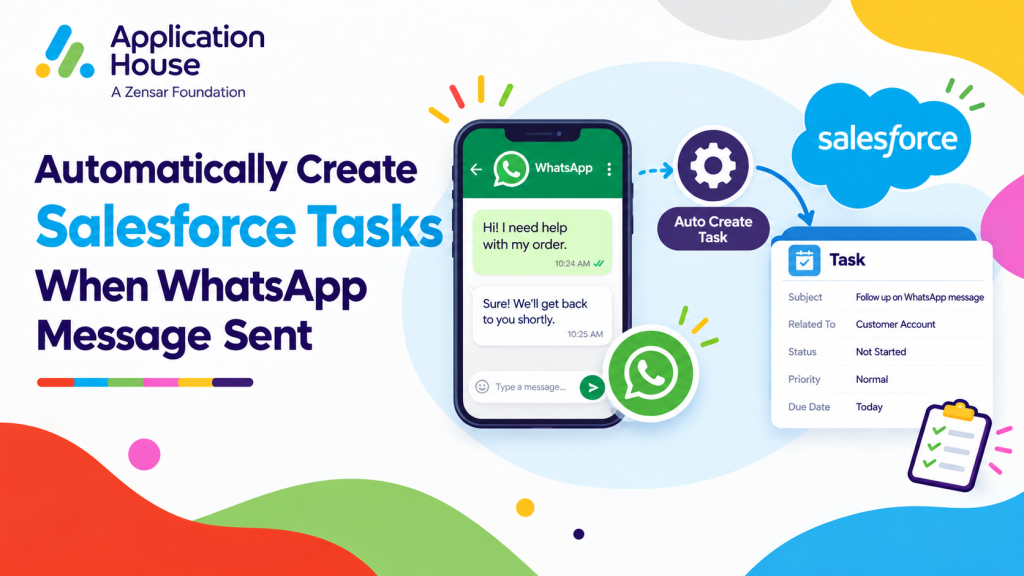
Turn Your WhatsApp Conversation into a Salesforce Task
You can create your Salesforce Task when your WhatsApp message leads to another action your user needs to complete.
You can keep your customer communication and your internal responsibility connected inside Salesforce.
You can make your next action visible even when your WhatsApp conversation has already moved forward.
Create Your Task While Sending a WhatsApp Message
You can create your Task as part of your messaging activity instead of returning later to create your reminder separately.
You can use your Task when your customer conversation needs another call, review or action from your Salesforce user.
You can keep your follow up connected to the same Salesforce process where you manage your customer relationship.
Keep Your Next Customer Action Visible
You can use your Salesforce Task to make your next customer action visible after your WhatsApp message has been sent.
You can help your users see which conversations still require attention instead of treating every sent message as completed work.
You can make your customer journey easier to manage when your WhatsApp conversations involve several stages.
Create Tasks When Your WhatsApp Conversation Needs Human Follow Up
You can use your Salesforce Tasks when your WhatsApp conversation reaches a point where your user needs to take personal action.
You can keep your automated or digital conversation connected to your human follow up process.
You can use your Tasks alongside your Agentforce AI Agent and human takeover capabilities when your customer needs more individual attention.
Create a Task After Your Agentforce AI Agent Conversation
You can use your Agentforce AI Agent to handle your incoming WhatsApp conversations and create your next Salesforce action when your process requires human involvement.
You can keep your customer context available when your Salesforce user needs to continue your conversation.
You can make your transition from automation to human follow up more structured.
Create a Task When Your User Needs to Take Over
You can create your Task when your WhatsApp conversation requires your Salesforce user to review or continue your customer interaction.
You can keep your follow up visible instead of depending on your user to notice your conversation later.
You can support your human takeover process while keeping your customer history connected to Salesforce.
Create Salesforce Tasks for Mortgage WhatsApp Conversations
You can use your WhatsApp Task Automation when your borrower conversation requires another action from your mortgage user.
You can keep your borrower questions, your message history and your next action connected to your mortgage process.
Create Tasks After Borrower Qualification Conversations
You can use WhatsApp to discuss your borrower requirements and create your Task when your mortgage user needs to continue your qualification process.
You can keep your next borrower action visible after your initial conversation has finished.
You can help your users move your qualified enquiry towards your next mortgage stage.
Create Tasks After Mortgage Document Conversations
You can exchange your supported information through WhatsApp and create your Task when your user needs to review your borrower documents or outstanding requirements.
You can keep your borrower conversation and your next mortgage action connected inside Salesforce.
You can reduce your need for your user to maintain a separate reminder after your WhatsApp discussion.
Create Tasks for Complex Borrower Questions
You can create your Salesforce Task when your borrower asks a question that requires further investigation or specialist input.
You can keep your unresolved enquiry visible while your user gathers the information your borrower needs.
You can make your follow up responsibility clearer when your WhatsApp conversation cannot be completed immediately.
Create Salesforce Tasks for Real Estate WhatsApp Conversations
You can use WhatsApp and Salesforce Tasks together when your property conversation creates another sales action.
You can keep your buyer, tenant, seller or landlord communication connected to your next Salesforce activity.
Create Tasks After Sharing Property Information
You can send your property information or supported attachments through WhatsApp and create your Task for your next buyer conversation.
You can remind your user to check your customer interest after your property details have been shared.
With AI SMS House, you can keep your property communication and your sales follow-up connected.
Create Tasks for Viewing Requests
You can discuss your property viewing through WhatsApp and create your Task when your user needs to confirm, arrange or follow up your appointment.
You can make your outstanding viewing action visible inside Salesforce.
You can keep your customer conversation connected to your property process from enquiry through viewing.
Create Tasks After Buyer or Tenant Questions
You can create your Task when your buyer or tenant asks for information your user needs to research or confirm.
You can keep your unanswered property question visible after your WhatsApp conversation.
You can help your users return to your customer with the information they requested.
Create Salesforce Tasks for Education WhatsApp Conversations
You can use your WhatsApp Task Automation when your student or applicant conversation creates another admissions action.
You can keep your conversational communication connected to your recruitment and admissions process.
Create Tasks After Course Enquiries
You can answer your prospective student through WhatsApp and create your Task when your admissions user needs to provide additional information.
You can keep your interested student visible after your initial conversation.
You can make your recruitment follow up easier to manage when your enquiry requires personal attention.
Create Tasks for Admissions Interviews
You can use your WhatsApp conversation to discuss your admissions process and create your Task when your user needs to arrange or follow up your interview.
You can keep your admissions action visible alongside your student communication.
You can make your next recruitment step clearer for your users.
Create Tasks After Student Document Questions
You can create your Salesforce Task when your applicant asks about documents or information that your admissions user needs to review.
You can keep your outstanding student request visible after your WhatsApp response.
You can help your users continue your application journey without losing your earlier conversation context.
Create Salesforce Tasks for Pharmacy WhatsApp Conversations
You can use your WhatsApp Tasks when your pharmacy customer conversation needs another action from your authorised user.
You can keep your customer enquiry and your follow up activity connected inside Salesforce.
Create Tasks for Prescription Questions
You can create your Task when your customer sends a prescription related question that your authorised user needs to review.
You can keep your enquiry visible until your pharmacy process is completed.
You can help your users manage your outstanding customer conversations more clearly.
Create Tasks for Collection Enquiries
You can use WhatsApp to discuss your collection enquiry and create your Task when your user needs to confirm information or complete another action.
You can keep your customer communication connected to your next service step.
You can make your outstanding pharmacy activity easier for your authorised users to track.
Create Tasks for Pharmacy Service Requests
You can create your Salesforce Task when your customer asks about another pharmacy service that requires your user to respond later.
You can keep your service enquiry visible even after your initial WhatsApp message has been sent.
You can support your ongoing customer relationship with a structured follow up process.
Create Salesforce Tasks for Hospital WhatsApp Conversations
You can use your WhatsApp Task Automation when your patient conversation requires another action from your authorised hospital user.
You can keep your appointment or service conversation connected to your next operational step.
Create Tasks for Appointment Questions
You can create your Task when your patient asks about an appointment and your authorised user needs to confirm or investigate your request.
You can keep your appointment enquiry visible until your required action has been completed.
You can make your hospital follow up easier to manage after your WhatsApp conversation.
Create Tasks for Visit Instructions
You can use your WhatsApp conversation to provide your supported visit information and create your Task when your user needs to confirm another requirement.
You can keep your patient communication and your operational action together in Salesforce.
You can give your authorised users a clearer view of your outstanding work.
Create Tasks for Patient Follow Up Requests
You can create your Salesforce Task when your patient conversation requires another authorised contact after your initial WhatsApp exchange.
You can keep your follow up visible while preserving your previous conversation context.
You can help your authorised users continue your patient journey without relying on separate reminders.
Create Salesforce Tasks from Bulk WhatsApp Messaging
You can create your Salesforce Tasks when your bulk WhatsApp communication requires follow up activity from your users.
You can send your bulk messages using your Salesforce List Views, Reports or Campaigns and keep your related Tasks within Salesforce.
You can use your bulk communication for larger outreach while keeping your individual next actions visible.
Follow Up Property and Mortgage Campaigns
You can send your bulk WhatsApp communication for your property or mortgage outreach and create your Tasks when your users need to continue selected conversations.
You can connect your wider campaign activity with your individual customer follow up.
Follow Up Education and Healthcare Communication
You can send your bulk WhatsApp communication for your education, pharmacy or hospital processes and create your Tasks where your users need another action.
You can keep your larger messaging activity connected to your structured Salesforce follow up.
You can use your Salesforce Tasks to turn your WhatsApp conversations into visible next actions.
You can keep your mortgage, real estate, education, pharmacy and hospital follow ups connected to the Salesforce processes your users already manage.
You can decide when your WhatsApp message should lead to your next Task and when your conversation should remain messaging only.
You can keep the power in your hands by configuring your WhatsApp Task process around the way your organisation works.