
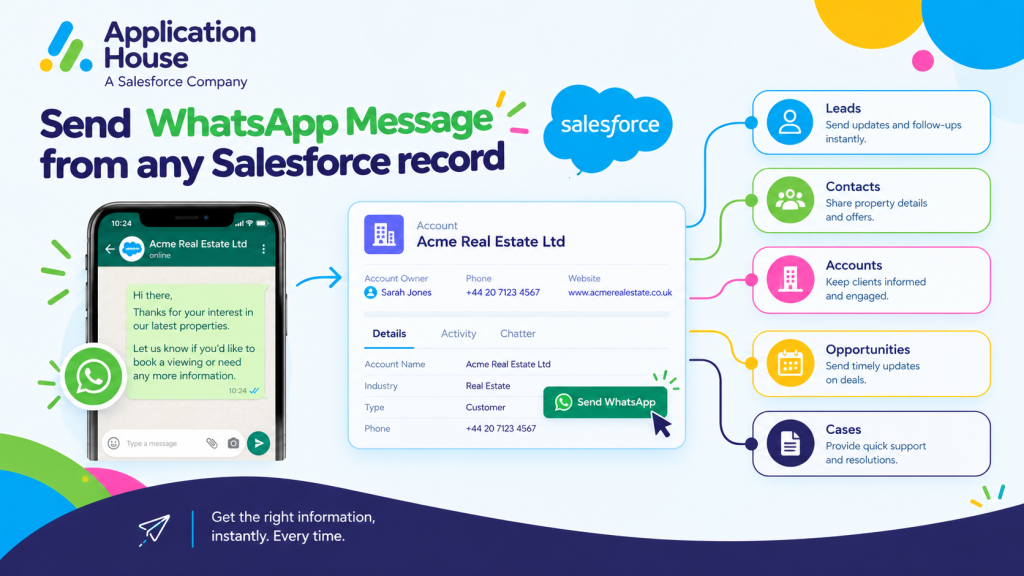
Send WhatsApp Message from any Salesforce record
Connect Incoming WhatsApp Conversations to Salesforce Records
You can send and receive WhatsApp messages while keeping your conversations connected to the Salesforce records your users already work with.
When your customer sends you a WhatsApp message, you can use your record management configuration to determine how that incoming conversation should be handled.
You can connect your WhatsApp messaging with Leads, Contacts, Cases, Opportunities and your custom Salesforce objects instead of managing your conversations separately.
Match Your WhatsApp Message to an Existing Record
You can configure your incoming WhatsApp conversations to search for an existing Salesforce record using the matching rules you define.
You can choose your matching fields so your application can identify the appropriate Salesforce record for your conversation.
You can also use your own Salesforce filters when your business requires additional conditions before your record is selected.
Create a New Salesforce Record from a WhatsApp Conversation
You can create your new Salesforce record when your incoming WhatsApp conversation does not need to match an existing record.
You can configure your record owner and your field mappings so your new record fits your Salesforce process.
You can also choose your Match or Create configuration when you want your application to find an existing record first and create your new record when no suitable match is found.
Control How Your Duplicate Records Are Handled
You can decide how your WhatsApp conversation should be handled when your matching process finds more than one Salesforce record.
You can configure your application to use your oldest matching record, your newest matching record or create your new record.
You keep your record handling aligned with the way your organisation wants to manage customer data.
Manage WhatsApp Conversations Using Your Own Salesforce Rules
You can decide which Salesforce object your incoming WhatsApp conversation should use.
You can configure your record management by your channel, your phone number and your business requirements.
You can also create multiple record management configurations when your organisation has different processes for different numbers or customer journeys.
Choose the Salesforce Object for Your WhatsApp Conversation
You can connect your WhatsApp messaging to the Salesforce object that represents your actual business process.
You can use your standard Salesforce objects or your own custom objects instead of being restricted to a fixed customer record type.
You can keep your mortgage applications, property enquiries, student records, pharmacy interactions or hospital processes connected to the Salesforce records your organisation already uses.
Use Your Own Matching Fields and Filters
You can choose your field mappings when your application needs to identify an existing Salesforce record.
You can use your own conditions and Salesforce filters when your matching process requires more than a simple phone number comparison.
You can keep your WhatsApp record management flexible as your Salesforce processes become more specialised.
Keep Your WhatsApp Conversation Independent When Needed
You can choose the None record management option in Application House when you do not want your incoming WhatsApp conversation to be immediately associated with a Salesforce record.
You can allow your conversation to be created first and let your user decide which relevant Salesforce record should be created or connected later.
You keep the flexibility to manage conversations when a customer contacts you before you have enough information to determine the correct Salesforce record.
Share Images, Files and Documents Through WhatsApp
You can use your WhatsApp conversations for more than simple text communication.
You can allow your users and customers to exchange supported images, files and other multimedia attachments through your Salesforce messaging process.
You can control your incoming and outgoing attachments and decide which file types your organisation allows.
Send Property Images and Documents from Salesforce
You can use your WhatsApp conversation to share property information when your real estate customer wants more detail about a listing.
You can share your property images or supported documents while keeping your conversation connected to the relevant Salesforce record.
You can give your property users access to your communication and attachments from the same customer context.
Share Customer Files Through WhatsApp
You can exchange your supported files when your business conversation requires additional information.
You can keep your attachments visible within your conversation and connected to your related Salesforce record.
You can give your users access to both your WhatsApp conversation and your related files without moving your customer communication into another application.
Keep Your WhatsApp Attachments Connected to Salesforce Records
You can automatically associate your messaging attachments with your related Salesforce records.
You can use your Salesforce Files and File Preview capabilities to keep your incoming and outgoing files accessible from your customer context.
You can keep your message history and your supporting documents together for your users.
Use Agentforce AI Agents for WhatsApp Conversations
You can use your WhatsApp messaging with or without Agentforce AI Agents depending on how you want your customer conversations handled.
You can assign your business phone numbers to Agentforce AI Agents and let your AI respond to incoming WhatsApp messages automatically.
You can also keep some of your numbers for your Salesforce users while you enable AI on other numbers.
Assign Your WhatsApp Number to an Agentforce AI Agent
You can decide which of your WhatsApp numbers should use an Agentforce AI Agent.
You can configure multiple phone numbers and use different arrangements for your AI managed and user managed conversations.
You can align your messaging numbers with different departments, customer journeys or business processes.
Let Your AI Agent Respond to Incoming WhatsApp Messages
You can let your Agentforce AI Agent respond when your customer sends an incoming WhatsApp message.
You can connect your AI conversation to the Salesforce record your application identifies through your record management process.
You can use your Agentforce AI Agent for sales or support conversations while your Salesforce data provides the customer context your process requires.
Let Your Salesforce User Take Over the Conversation
You can let your Salesforce user take over your conversation when your customer needs human involvement.
You can move from your Agentforce AI Agent to your human conversation without asking your customer to start again.
You can keep your previous message context available when your user takes responsibility for the conversation.
Keep Your Conversation Context During Human Takeover
You can see your previous messages before your user continues your customer conversation.
You can identify whether your earlier messages came from your Salesforce user or your Agentforce AI Agent.
You can give your user the context needed to continue your conversation naturally.
Use WhatsApp for Two Way Business Conversations
You can use WhatsApp when your customer journey needs an ongoing conversation rather than only a one way notification.
You can keep your incoming questions and your outgoing responses connected to the Salesforce record where your business process is managed.
You can use your WhatsApp conversations differently across mortgage, real estate, education, pharmacy and hospital processes.
Handle Mortgage Enquiries and Borrower Questions
You can use WhatsApp from your mortgage records when your borrower wants to ask questions about an application, documents or next steps.
You can keep your borrower questions and your responses connected to the relevant Salesforce mortgage record.
You can also use your Agentforce AI Agent for your routine enquiries and let your Salesforce user take over when your borrower needs more individual support.
Share Property Information and Manage Viewing Enquiries
You can use WhatsApp from your real estate records when your buyer or tenant wants property information or wants to arrange a viewing.
You can share your supported property images and files while keeping your conversation connected to the relevant Salesforce record.
You can continue your buyer or tenant conversation as their enquiry progresses instead of treating every message as a separate interaction.
Answer Student Admissions and Course Enquiries
You can use WhatsApp from your education records when your prospective student has questions about applications, admissions, courses or campus visits.
You can keep your conversation connected to the student or enquiry record your admissions users already manage.
You can use your WhatsApp communication throughout your recruitment journey while maintaining your Salesforce customer context.
Handle Pharmacy Prescription and Collection Enquiries
You can use WhatsApp from your pharmacy related Salesforce records when your customer needs to ask about a prescription, collection or service.
You can keep your customer conversation connected to the record your authorised pharmacy users already work with.
You can use your conversation history to help your users understand your previous communication before responding.
Manage Hospital Appointment and Patient Enquiries
You can use WhatsApp from your hospital related Salesforce records when your patient needs help with appointments, instructions or other supported communication.
You can keep your patient conversation connected to the relevant Salesforce record for your authorised users.
You can give your users better context by keeping your previous WhatsApp communication available with the record they already access.
Keep Your WhatsApp Conversation Organised in Salesforce
You can keep your complete WhatsApp conversation history inside your Salesforce messaging process.
You can organise your messages into conversation sessions and configure how long your active session should remain open.
You can see your session status, your previous messages and your latest conversation activity from Salesforce.
Track Your WhatsApp Conversation Sessions
You can group your incoming and outgoing WhatsApp messages into your conversation sessions.
You can configure your session duration according to the way your organisation wants to manage ongoing customer interactions.
You can start your new session automatically when your previous session has expired and your customer or user sends another message.
See Whether Your User or AI Agent Sent Each Message
You can see who or what sent your WhatsApp messages throughout your conversation.
You can identify your Salesforce user, your Agentforce AI Agent, your Flow, your Apex Trigger or your bulk messaging source.
You can maintain clearer visibility when your customer conversation involves both your automation and your users.
Keep Your Complete WhatsApp History on the Salesforce Record
You can keep your WhatsApp messages connected to the Salesforce record where your customer relationship is managed.
You can give your users access to your related message history when your existing Salesforce record access allows them to work with that record.
You can keep your customer data, your WhatsApp conversation and your business process together inside Salesforce.
Send WhatsApp Message from Any Salesforce Record Your Way
You can send and receive WhatsApp messages using the Salesforce records that match the way your organisation already operates.
You can configure your record matching, record creation, attachments, Agentforce AI Agents, human takeover and conversation management around your own requirements.
You can keep your WhatsApp communication connected to Salesforce while keeping the power in your hands over how your customer conversations are managed.