
Send SMS from any Salesforce record
How to Send SMS from Any Salesforce Record
You can Send SMS from Salesforce directly from the records your users already work with every day.
You can start your SMS conversation from Leads, Contacts, Cases, Opportunities and your custom Salesforce objects when your configured record contains the phone number you want to use.
You can keep your customer communication inside Salesforce instead of asking your users to move between Salesforce and a separate messaging application.
You can also continue your conversation from the same Salesforce record, so your users can see the customer information and your SMS communication together.
Send SMS from Standard Salesforce Records
You can Send SMS from Salesforce standard records such as your Leads, Contacts, Cases and Opportunities.
You can use the Salesforce record that represents your business process, so your users can communicate from the record where they already manage your customer relationship.
You can keep your sales and service communication connected to the record your users already understand and use.
Send SMS from Custom Salesforce Records
You can also send SMS from your custom Salesforce records when your business uses objects created around your own processes.
You can configure your messaging around the Salesforce data model you already use instead of changing your process to fit a predefined messaging object.
With Application House, you can use your custom records for specialised processes such as mortgage applications, property enquiries, student applications, pharmacy services or hospital interactions.
Choose Your Phone Number Field for Each Salesforce Object
You can configure your customer phone number field for each Salesforce object you use for messaging.
You can use the phone field that matches your Salesforce design, so your messaging can fit around your existing data rather than forcing you to restructure it.
Send SMS with One Click from Salesforce
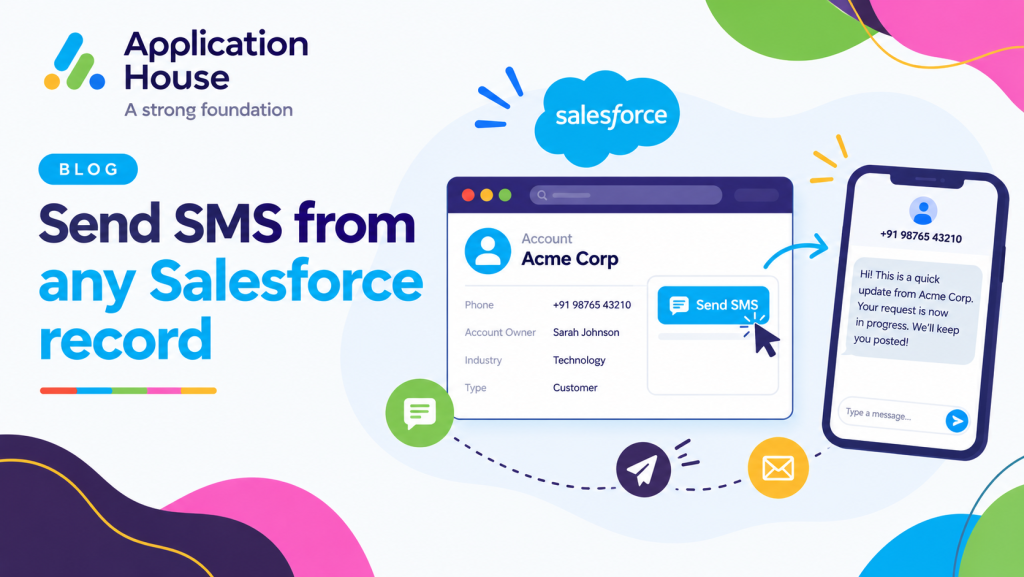
You can send your SMS directly from a Salesforce record using the Send Message button .
You can start your message with one click and keep your conversation connected to the record where your users are already working.
You can reduce unnecessary navigation because your users can communicate without leaving the Salesforce record.
Use the Send Message Button
You can use your Send Message button when you want to start an individual SMS conversation directly from a Salesforce record.
You can choose your recipient, compose your message and send your SMS while keeping your activity associated with the relevant record.
You can also configure your process to create a Salesforce Task when your message is sent, so your follow up activity can remain connected to your customer record.
Continue Your SMS Conversation from the Same Record
You can use your Conversation View to continue your incoming and outgoing SMS conversation without losing the Salesforce context around your customer.
You can see your previous messages before you respond, so your users can understand what your customer has already discussed.
You can keep your conversation history available from the record instead of depending on separate notes or manual handovers.
Track Your SMS Communication on Salesforce Records
You can keep your SMS activity connected to your Salesforce record throughout your customer conversation.
You can see your message history, your delivery information and the source of your messages directly within your messaging experience.
You can give your users better context because your communication history remains connected to the customer record they are working with.
View Your Complete SMS History
You can keep your conversation history together within your Salesforce messaging sessions.
You can see your previous incoming and outgoing messages, so your users can continue your conversation with the context they need.
You can avoid asking your users to search through another application to understand your previous customer communication.
See Who Sent Each SMS
You can see whether your SMS was sent by your Salesforce user, your Agentforce AI Agent, your Salesforce Flow, your Apex Trigger or your bulk messaging process.
You can give your users clearer visibility into how your customer communication was created.
You can understand whether your previous interaction came from a person or your automation before you continue the conversation.
Track Your SMS Delivery Status
You can track your SMS message status as your message moves through its lifecycle.
You can see statuses such as Created, Sent, Delivered and Read where your messaging channel provides the relevant status.
You can use your delivery information to understand whether your customer communication has progressed successfully.
Automate SMS from Salesforce Record Changes
You can Send Automated SMS from Salesforce when your business process reaches the conditions you define.
You can use your Salesforce record changes to determine when your customer should receive a message.
You can reduce your manual work while keeping your automation connected to your Salesforce data.
Send Automated SMS Using Salesforce Flow
You can use Salesforce Flow to Send Automated SMS from Salesforce based on your business rules.
You can trigger your SMS when your Salesforce record is created, updated or changed in a way that meets your defined criteria.
You can use your Flow logic to decide whether your message should be sent, so your automation can reflect your actual business process.
Send Automated SMS Using Salesforce Trigger
You can use your Salesforce Trigger when your messaging process requires custom automation logic.
You can configure your Trigger to send your SMS based on your record events and your own conditions.
You can use your existing Salesforce development approach when your process needs more specialised automation.
Trigger SMS When Your Record Is Created or Updated
You can send your SMS when your record reaches an important business stage.
You can automatically communicate when your application changes status, your appointment is confirmed, your document is required or another relevant value changes in your Salesforce record.
You can make your communication more timely because your message can follow the same Salesforce data changes your users already rely on.
Use SMS for Time Sensitive Business Communication
You can use SMS from Salesforce when your customer needs a short and timely update connected to an important business process.
You can use your Salesforce record data to keep each message related to the customer, application, appointment or service your user is managing.
You can apply the same record based messaging approach across your mortgage, real estate, education, pharmacy and hospital processes.
Send Mortgage Application and Document Updates
You can send SMS from your mortgage Lead, Contact, Opportunity or custom application record when your borrower needs an update.
You can use your SMS to request documents, confirm appointments, remind your borrower about outstanding information or provide an application progress update.
You can keep your borrower communication connected to the Salesforce record where you manage your mortgage process.
Send Property Viewing Confirmations
You can send SMS from your real estate records when your buyer or tenant makes a property enquiry.
You can use your SMS to confirm viewings, send appointment reminders or follow up after your customer visits a property.
You can keep your communication connected to the record where you manage your property enquiry and customer relationship.
Send Student Deadline and Campus Visit Reminders
You can send SMS from your student enquiry or application record when your applicant needs timely information.
You can use your SMS for application deadlines, admissions updates, campus visit reminders or important student communications.
You can keep your student messaging connected to the Salesforce record where you manage your recruitment and admissions process.
Send Pharmacy Prescription Collection Notifications
You can send SMS from your pharmacy related Salesforce record when your customer needs a prescription or service update.
You can use your SMS to provide collection notifications, medication reminders or other customer communications that fit your pharmacy process.
You can keep your pharmacy messaging connected to the customer record your users already manage.
Send Hospital Appointment Reminders
You can send SMS from your hospital or patient related Salesforce record when your patient needs an appointment update.
You can use your SMS for appointment confirmations, reminders, visit instructions or follow up communication.
You can keep your hospital communication connected to the Salesforce record your authorised users already work with.
Keep Your SMS Visible Through Salesforce Record Access
You can keep your SMS visibility aligned with the Salesforce record access your organisation already manages.
You can allow your users to see related SMS history when they already have access to the Salesforce record.
You can avoid separately sharing your SMS conversation with every user who already has permission to work with the related record.
Automatically Share SMS History with Your Salesforce Users
You can make your SMS conversation available to users who already have access to your related Salesforce record.
You can give your users the conversation context they need without creating another manual message sharing process.
You can keep your existing Salesforce record access at the centre of your messaging visibility.
Keep Your SMS Conversation Connected to the Customer Record
You can keep your customer data and your SMS communication together throughout your sales, service or operational process.
You can give your users one place to understand your customer record and the communication that has already taken place.
You can make your Salesforce record a more complete source of customer context by keeping your SMS conversation connected to it.
Send SMS from Any Salesforce Record Without Changing How You Work
You can Send SMS from Salesforce using the records, objects and fields your organisation already uses.
You can communicate from your standard Salesforce records or your custom records while keeping your conversation history, delivery information and business context connected.
You can use your Salesforce configuration, automation and record access to make SMS part of the processes your users already follow.
You can keep the power in your hands by configuring your messaging around the way your organisation works rather than changing your organisation to fit the messaging application.